> ## Documentation Index
> Fetch the complete documentation index at: https://support.pexcard.com/llms.txt
> Use this file to discover all available pages before exploring further.
# Adding a Bank Account
> You can add a business bank account to your PEX account in order to transfer money between the two accounts.
After adding the bank information, you will need to verify access to the new bank account, either by using Instant Account Verification, or by using micro-deposits verification. PEX strongly recommends Instant Account Verification which works with most major bank providers.
## **How to Add a Bank Account Using Instant Account Verification via Open Banking Providers**
Log into your PEX account at [https://dashboard.pexcard.com](https://dashboard.pexcard.com?utm_source=support)
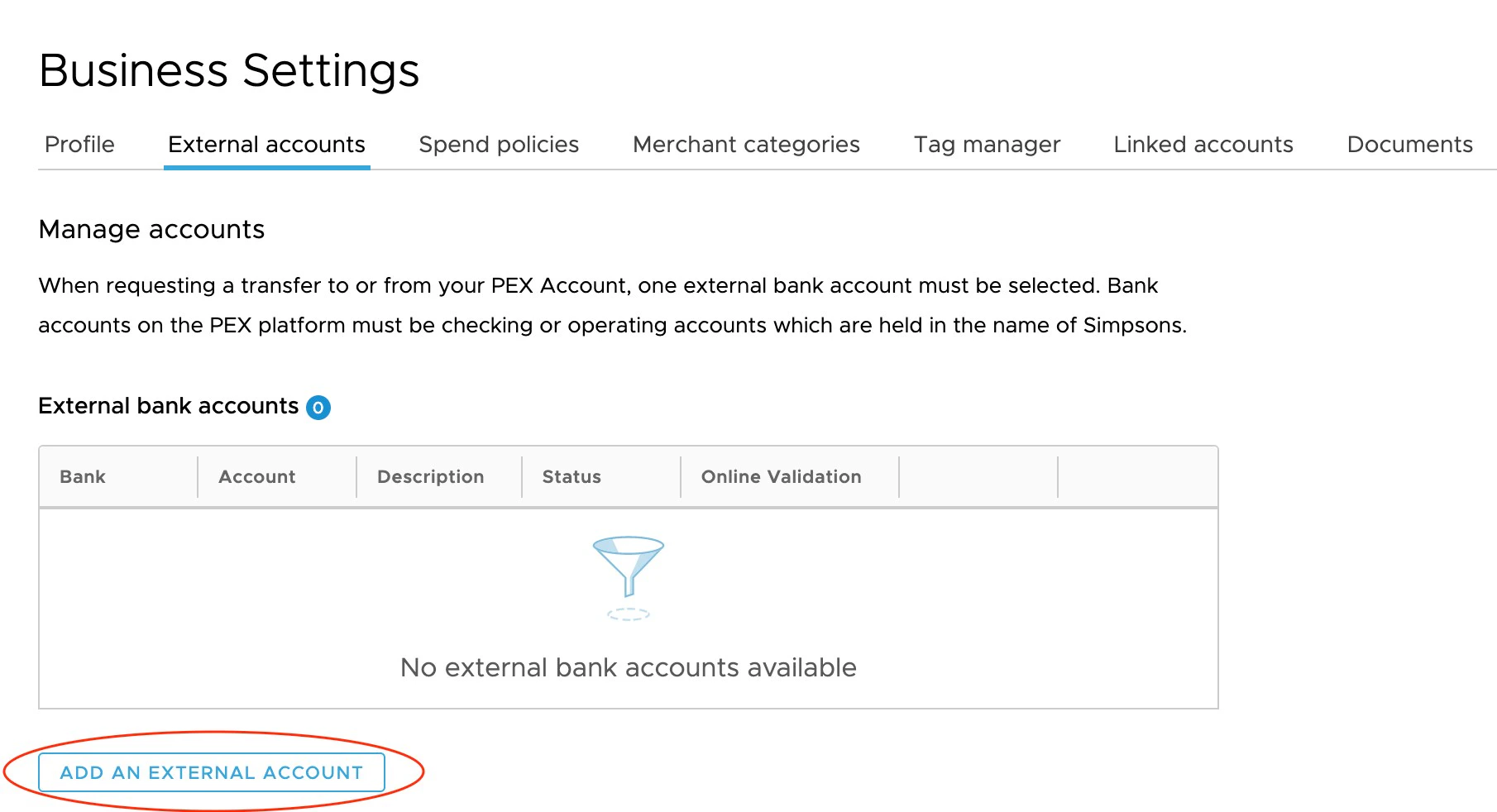
Click the "Business Settings" tab. Click on the "External Accounts" tab.
Click the "Add an External Account" button
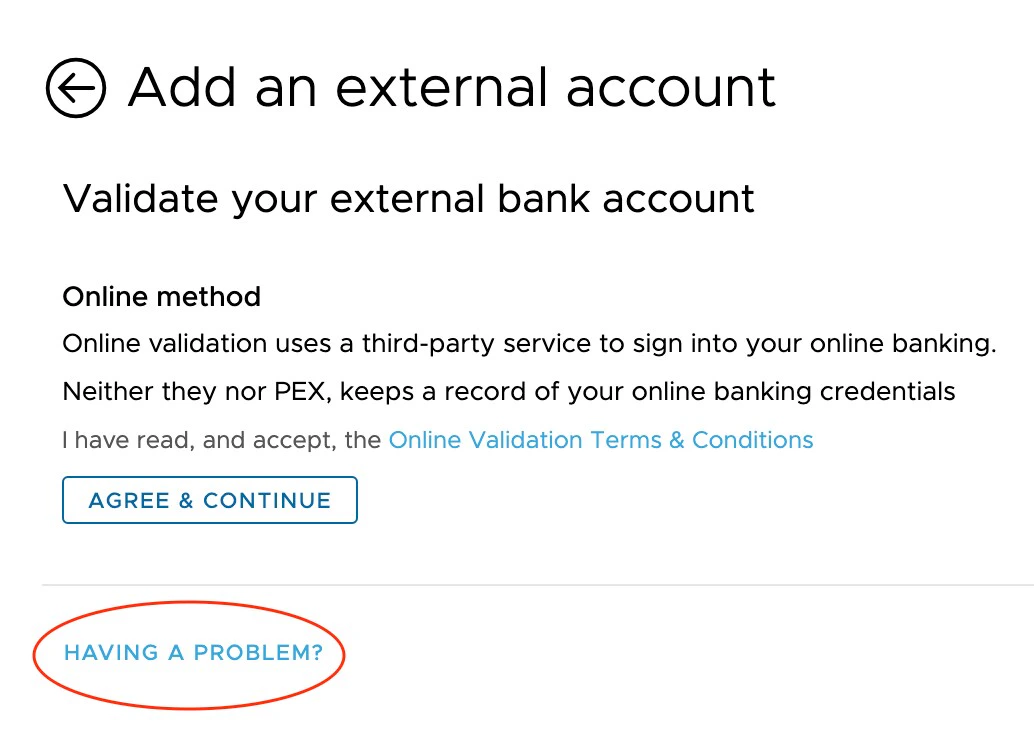
Click "Agree and Continue" to agree to the Online Validation Terms
Choose your bank from the list of available banks.
* PEX supports bank account authentication for thousands of financial institutions, including many of the top banks in the U.S. (Chase, Citibank, Wells Fargo, US Bank, Bank of America, and more), your bank may not be listed.
* In this case, you will need to use micro-deposits verification
Enter your online banking credentials (e.g., username and password)
Click "Continue"
You should see your newly added bank account in the list of External Bank Accounts
**Note:**
If you are having issue connecting your bank account, click "Having a Problem?" and you will be able to add your account using micro-deposits verification.
## **How to Add a Bank Account using Micro-Deposits Verification**
Log in to your PEX account at [https://dashboard.pexcard.com](https://dashboard.pexcard.com?utm_source=support)
Click the "Business Settings" tab.
Click on the "External Accounts" tab.
Click the "Add an External Account" button
Click "Having a Problem?" to select the micro-deposits method for account verification.
* Enter your account number, routing number, and bank name
* Click "Submit"
PEX will email you a confirmation of set up and/or update within 24 hours
PEX will make two small deposits to your bank account in the next 2 to 3 business days.
* Check your bank account for these deposits.
Return to the "External Accounts" tab and enter the values of the two microdeposits
Click "Submit"
You should now see your newly added bank account in the list of External Bank Accounts
Once you have set up your newly added bank account, you can initiate transfers from that account via the Administrator website and also via the PEX Mobile App (for iOS or Android).
You can make a one-time transfer of funds, or you can set up recurring transfers.
Please also see "[How to Fund From Admin Site](/administrator-guide/how-to-fund-from-admin-dashboard) "
 ## **How to Add a Bank Account using Micro-Deposits Verification**