> ## Documentation Index
> Fetch the complete documentation index at: https://support.pexcard.com/llms.txt
> Use this file to discover all available pages before exploring further.
# Using the PEX AI Agent (Ask PEX)
> Get instant, guided help configuring and managing your PEX account with the PEX AI Agent.
**Note:**
The PEX AI Agent is currently in **Beta**. Responses are AI-generated — always verify important actions before confirming them.
## What is the PEX AI Agent?
The **PEX AI Agent** (also called **Ask PEX**) is a built-in assistant in the PEX Dashboard that gives you instant, guided help setting up and running your account. Instead of hunting through menus, you can ask a question in plain language and the agent walks you through the task step by step — and can open the right page in the Dashboard for you.
Use the PEX AI Agent to:
* Get a personalized checklist of setup tasks based on what you've already completed
* Complete common tasks like ordering cards, creating vendor cards and transferring funds
* Ask questions about your account (for example, *"How do I fund my account?"*)
* Jump directly to the relevant Dashboard page for any task
## Launching the PEX AI Agent
Log in to your PEX account and go to the **Dashboard**.
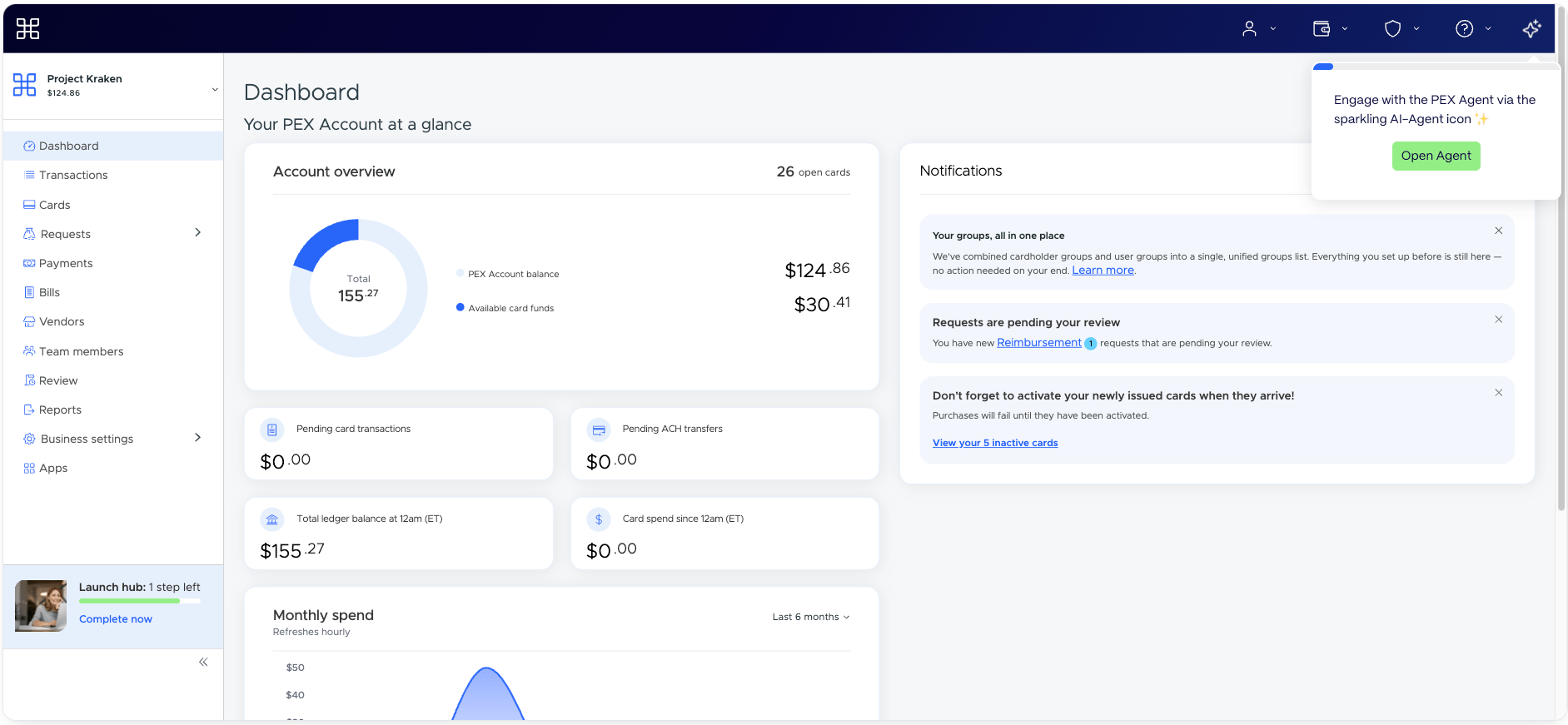
Click the **Sparkle** icon (✨) in the **top-right menu** of the Dashboard. This opens the **Ask PEX** panel on the right side of the screen.
 ## What you'll see in the Ask PEX panel
When you first open the agent it will review your account setup and suggest activity and features that will help you get the most out of your PEX account. Use these quick options to be guided through the setup process and perform actions such as:
* Order cards
* Create vendor cards
* Invite additional admins
* Transfer funds
The agent can answer the most common questions and help you manage your account activity as well.
## Get insights and information about your account
The agent can visualize data to help you quickly understand your spend patterns, top merchants, credit utilization and more.
## What you'll see in the Ask PEX panel
When you first open the agent it will review your account setup and suggest activity and features that will help you get the most out of your PEX account. Use these quick options to be guided through the setup process and perform actions such as:
* Order cards
* Create vendor cards
* Invite additional admins
* Transfer funds
The agent can answer the most common questions and help you manage your account activity as well.
## Get insights and information about your account
The agent can visualize data to help you quickly understand your spend patterns, top merchants, credit utilization and more.
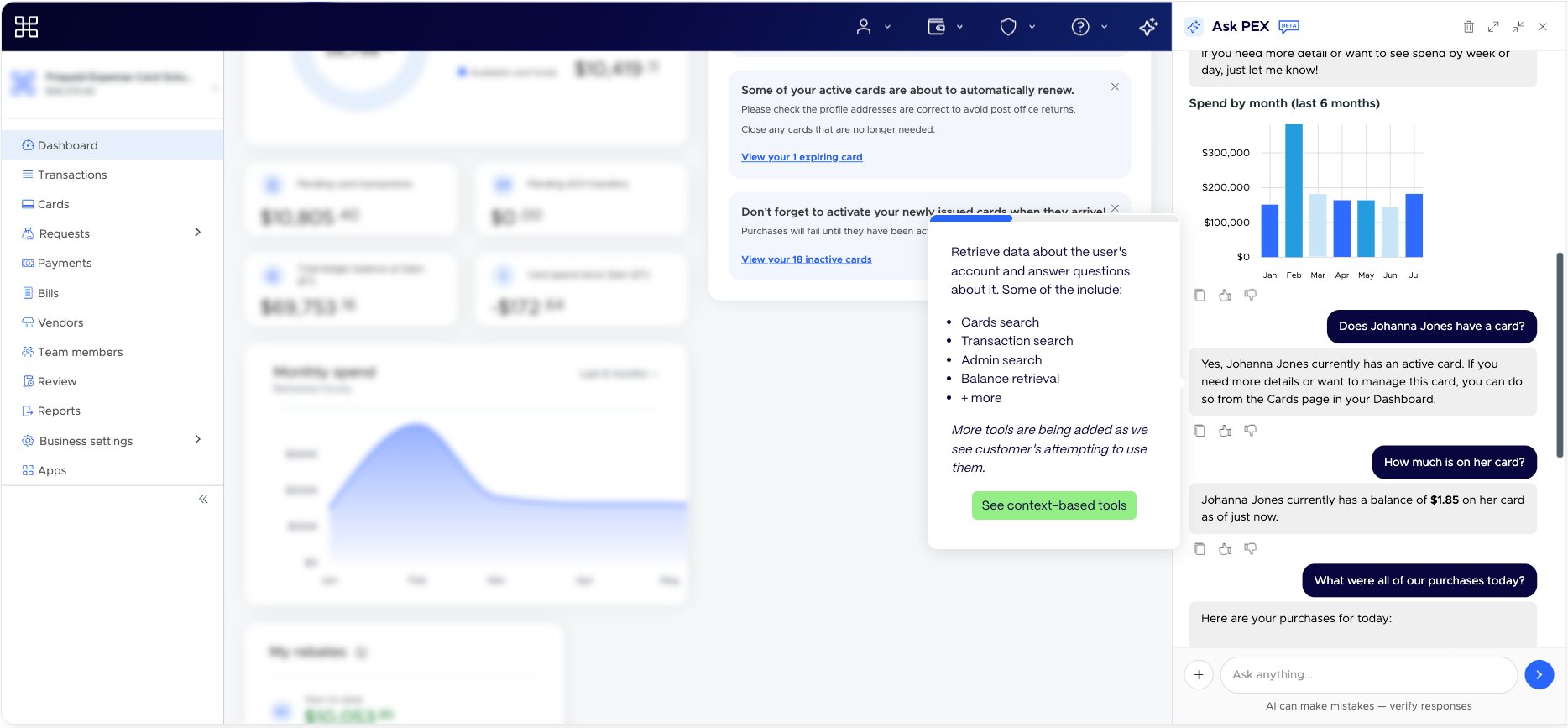
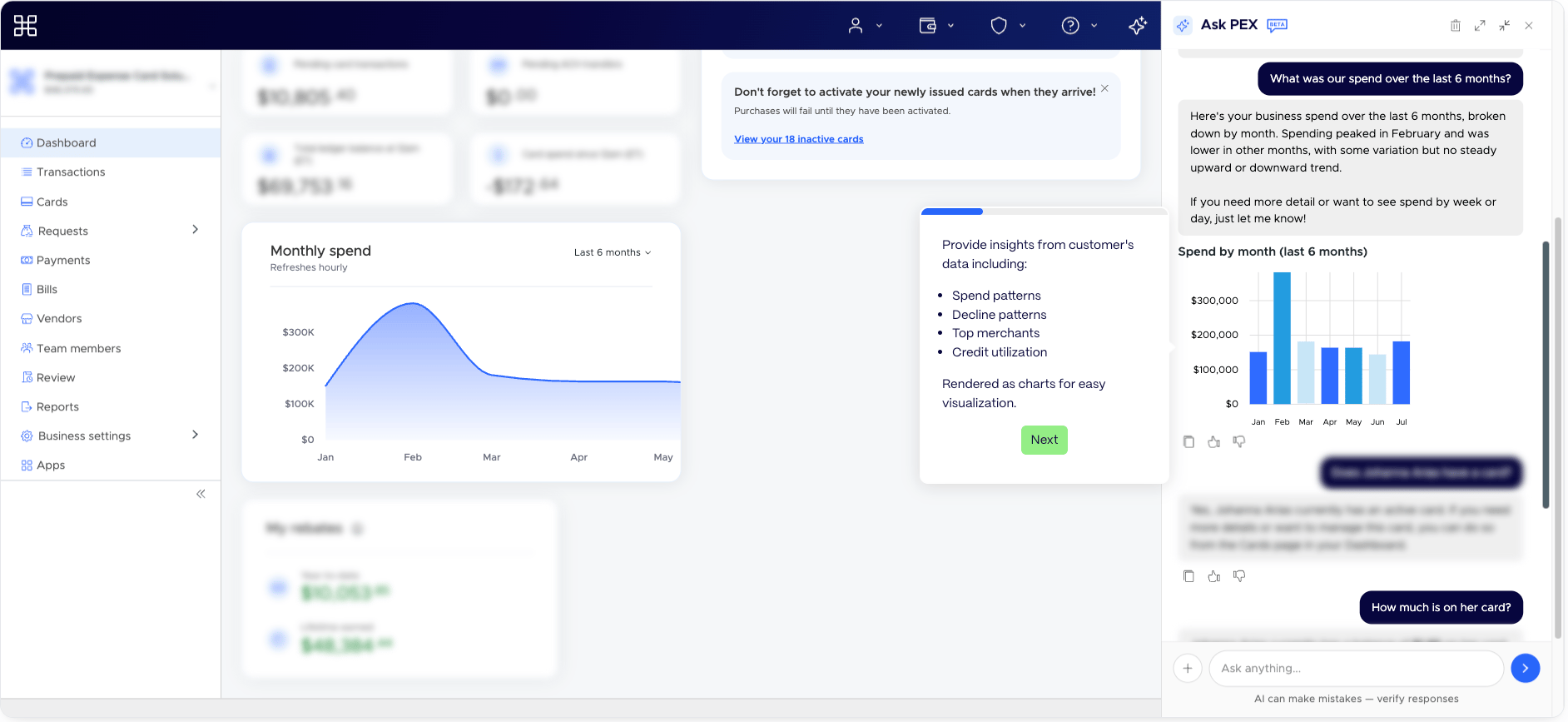 The agent can help answer questions about your account and quickly find information.
 If the agent is unable to help, it will use our helpful support site to quickly guide you through the steps to get things done faster.
## Tips for getting the best results
* Be specific in your requests (for example, *"How do I fund my account?"* rather than *"funding"*).
* Use the suggested prompts as a starting point if you're not sure what to ask.
* Because the agent is in Beta, **verify any important action** before confirming it — a reminder appears at the bottom of the panel: *"AI can make mistakes — verify responses."*
## Frequently asked questions
Click the **Sparkle** icon (✨) in the top-right menu of the PEX Dashboard to open the **Ask PEX** panel.
Yes — the PEX AI Agent is included in the PEX Dashboard. It is currently in Beta.
The agent guides you through tasks step by step and can open the correct Dashboard page for you. You confirm and complete the actions yourself.
You can ask how to order cards, create vendor cards, invite admins, transfer funds, fund your account, review business settings and more. Try the suggested prompts if you're unsure where to start.
If the agent is unable to help, it will use our helpful support site to quickly guide you through the steps to get things done faster.
## Tips for getting the best results
* Be specific in your requests (for example, *"How do I fund my account?"* rather than *"funding"*).
* Use the suggested prompts as a starting point if you're not sure what to ask.
* Because the agent is in Beta, **verify any important action** before confirming it — a reminder appears at the bottom of the panel: *"AI can make mistakes — verify responses."*
## Frequently asked questions
Click the **Sparkle** icon (✨) in the top-right menu of the PEX Dashboard to open the **Ask PEX** panel.
Yes — the PEX AI Agent is included in the PEX Dashboard. It is currently in Beta.
The agent guides you through tasks step by step and can open the correct Dashboard page for you. You confirm and complete the actions yourself.
You can ask how to order cards, create vendor cards, invite admins, transfer funds, fund your account, review business settings and more. Try the suggested prompts if you're unsure where to start.