> ## Documentation Index
> Fetch the complete documentation index at: https://support.pexcard.com/llms.txt
> Use this file to discover all available pages before exploring further.

# How to change the icon on your account

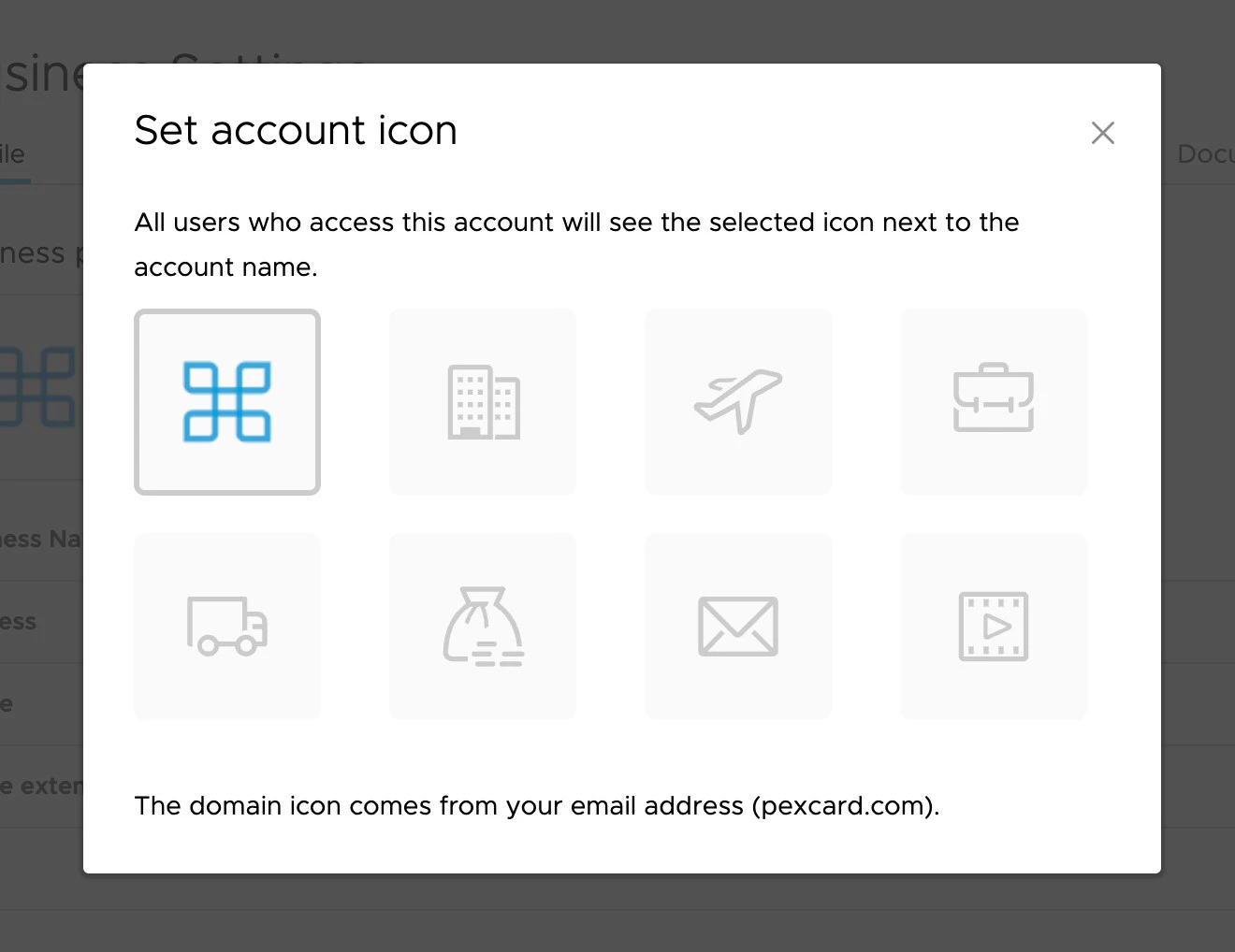
> You can set a custom icon on your account that will display to all users of the account. This can help to differentiate multiple types of accounts.

<Frame>
  <iframe src="https://www.youtube.com/embed/upWl4nP3i6o" title="Custom Icons" frameborder="0" allow="accelerometer; autoplay; clipboard-write; encrypted-media; gyroscope; picture-in-picture; web-share" referrerpolicy="strict-origin-when-cross-origin" allowfullscreen />
</Frame>

To set a custom icon on your account, follow these several steps:

<Steps>
  <Step>
    Click the "Business Settings" tab in the left navigation
  </Step>

  <Step>
    At the top of the page, click the icon image
  </Step>

  <Step>
    Choose an icon that represents your account

    <Note>
      **Note:**

      The domain icon is based on your user email
    </Note>

    <Frame>
      <img src="https://mintcdn.com/pextest/X5Ms2yb8xIcwJOtB/images/administrator-guide/image-181.png?fit=max&auto=format&n=X5Ms2yb8xIcwJOtB&q=85&s=056165ea813651e0fa3da8265307fa57" alt="" width="1320" height="1018" data-path="images/administrator-guide/image-181.png" />
    </Frame>
  </Step>
</Steps>
