> ## Documentation Index
> Fetch the complete documentation index at: https://support.pexcard.com/llms.txt
> Use this file to discover all available pages before exploring further.
# How to Download Cardholder Statements as an Administrator
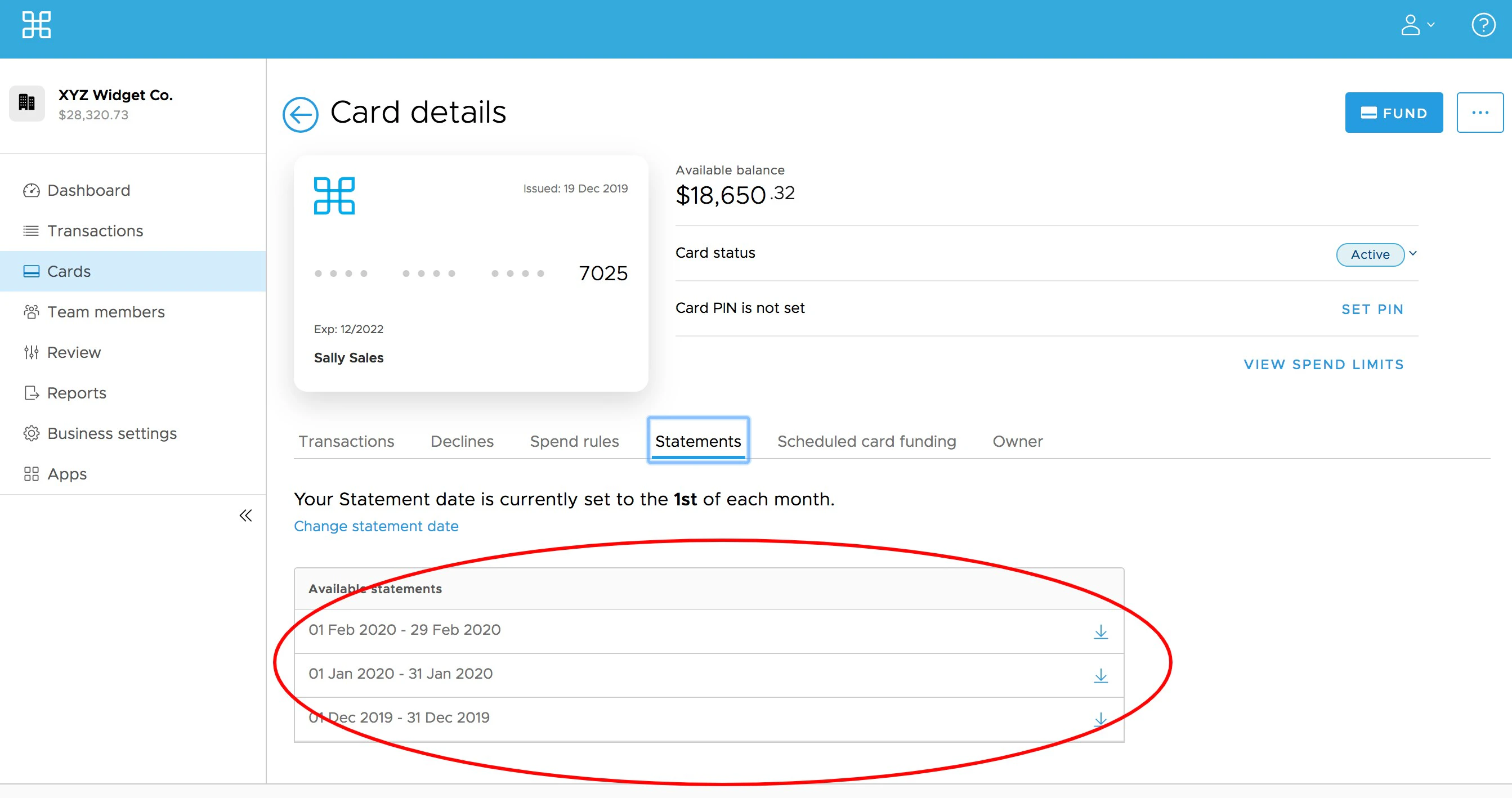
> Administrators can access statements for individual cardholders under the cardholder details.
**Note:**
If you are an admin and are not able to see statements for a given cardholder, please check your permissions with your organization's primary administrator. You must have the "View Card Usage" permission enabled to be able to view cardholder statements.
**Steps:**
Click on the Cards page on the left navigation
Locate and Click on the cardholder's name
Click the "Statements" tab
You will see a list of available statements for that cardholder.