> ## Documentation Index
> Fetch the complete documentation index at: https://support.pexcard.com/llms.txt
> Use this file to discover all available pages before exploring further.
# How to Find a Cardholder's Username
> Look up the username for any registered cardholder in your organization from the Team Members tab in the PEX administrator dashboard.
If a cardholder has registered an account online (see [How to Create a New Cardholder User Account](/cardholder-guide/how-to-create-a-new-cardholder-user-account)), then Administrators can find the username for any given cardholder in their organization.
## How to find a cardholder's username
Log in to [dashboard.pexcard.com](https://dashboard.pexcard.com?utm_source=support)
Click the "Team Members" tab
Locate the cardholder's name
* Or use the "find in this table" or filters to narrow the list to find the cardholder
Click the cardholder's name
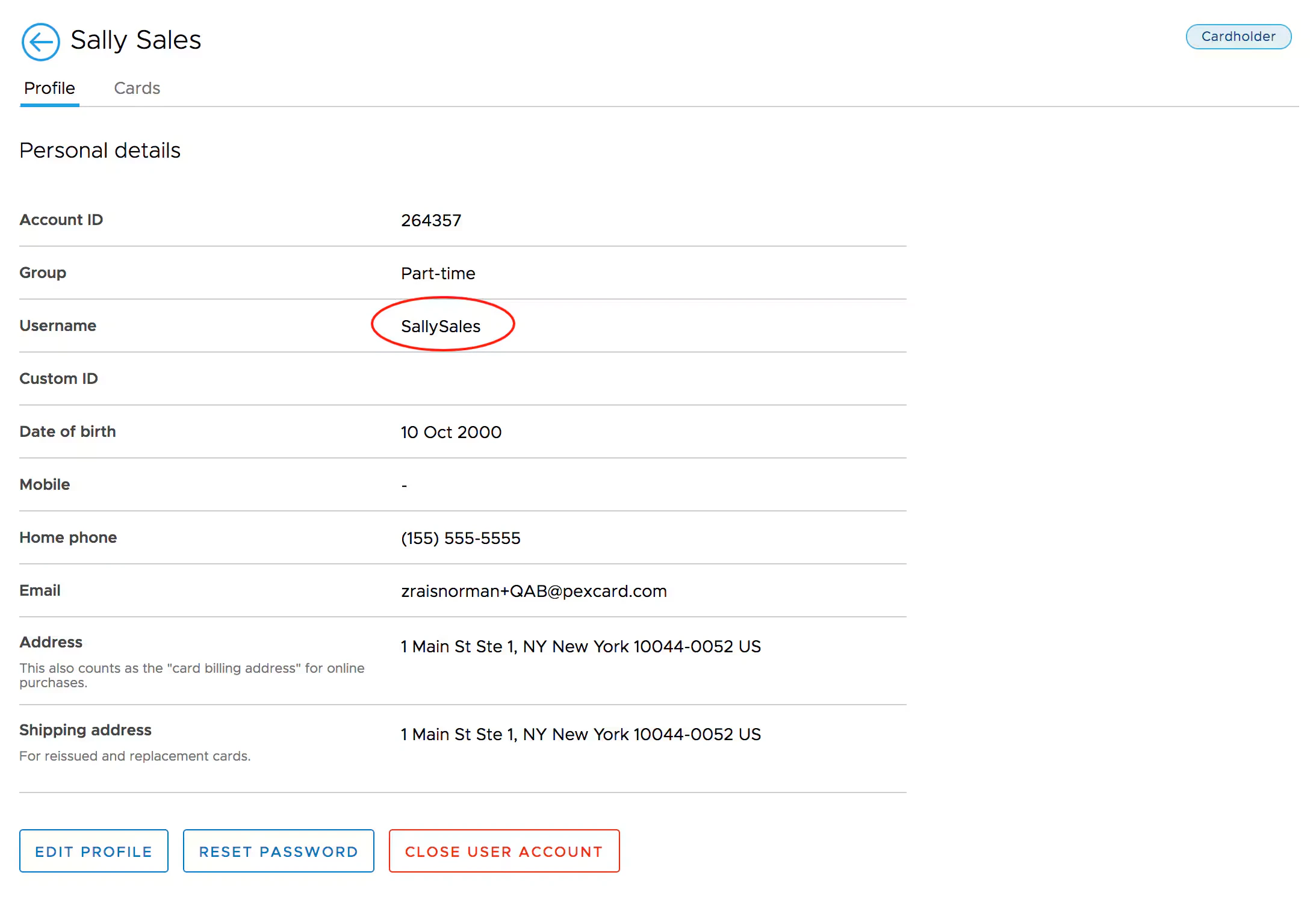
The cardholder's username is shown on their profile details
 **Note:**
If a username is not listed, the cardholder will need to register their card in order to create their username and login credentials. A cardholder may only register their card once.
**Note:**
If a username is not listed, the cardholder will need to register their card in order to create their username and login credentials. A cardholder may only register their card once.