> ## Documentation Index
> Fetch the complete documentation index at: https://support.pexcard.com/llms.txt
> Use this file to discover all available pages before exploring further.
# How to Fund by Bank ACH
> If you need to have funds in your account within two (2) business days, then PEX recommends that you fund your account by Bank ACH. You will work with your bank to link to your PEX account and then initiate a transfer from your bank. Please note that your bank may charge for this service
If you have multiple PEX business accounts, each separate account will have a unique account number that begins with "926xxx."
## How to Fund Your Account by Bank ACH
Log in to [dashboard.pexcard.com](https://dashboard.pexcard.com?utm_source=support)
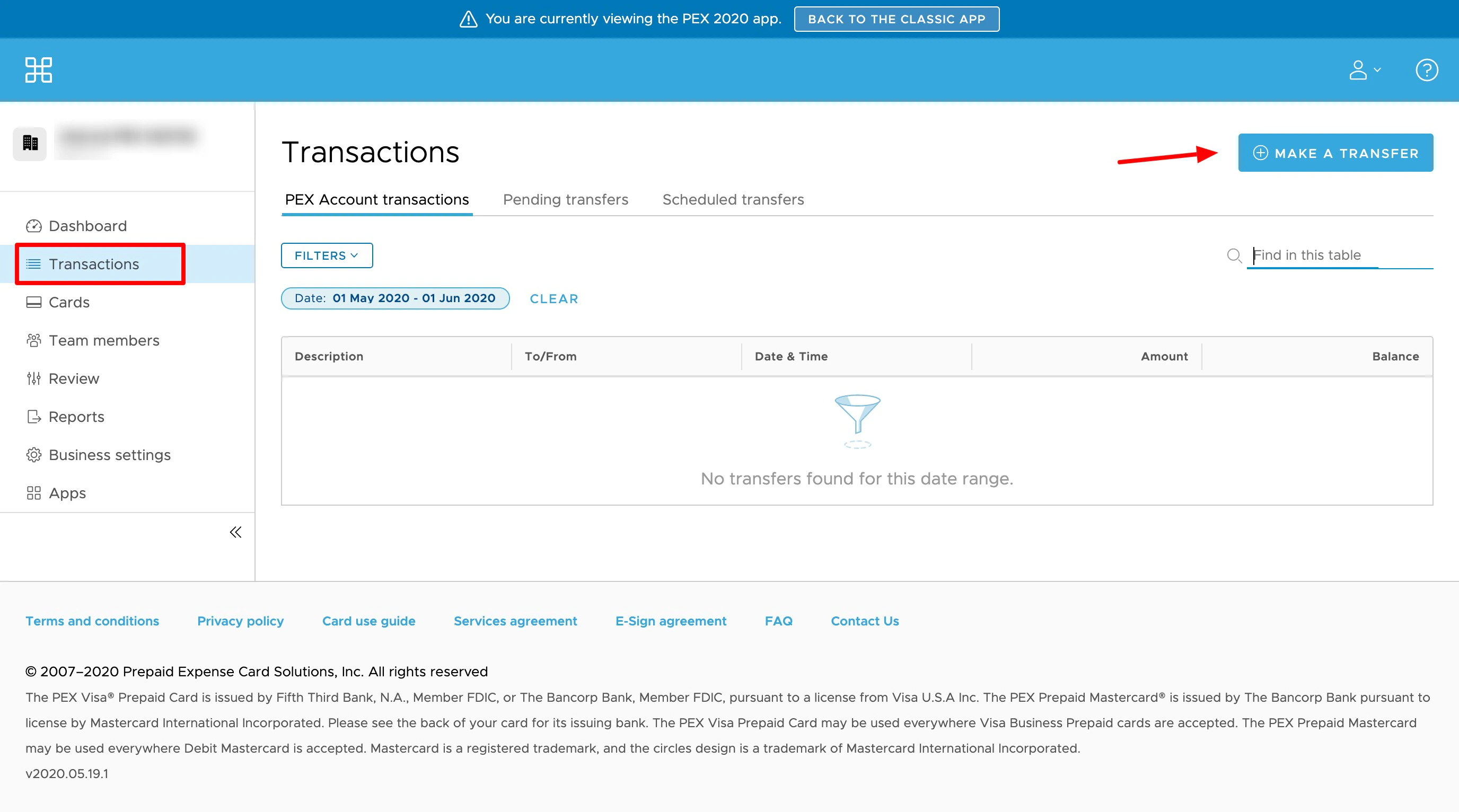
* Click the "Transactions" tab
* Click the "Make a Transfer" button on the upper right corner
* Click the "ACH Instructions" tab
* Provide your bank with the information provided.
* Your bank may want to verify the accuracy of the account number by sending two small credit amounts ("microdeposits") to your PEX account
* Once set-up is complete, you can initiate a transfer from your bank
* The transfer should appear in your PEX account within two (2) business days.
 * Click the "ACH Instructions" tab
* Provide your bank with the information provided.
* Your bank may want to verify the accuracy of the account number by sending two small credit amounts ("microdeposits") to your PEX account
* Once set-up is complete, you can initiate a transfer from your bank
* The transfer should appear in your PEX account within two (2) business days.
* Click the "ACH Instructions" tab
* Provide your bank with the information provided.
* Your bank may want to verify the accuracy of the account number by sending two small credit amounts ("microdeposits") to your PEX account
* Once set-up is complete, you can initiate a transfer from your bank
* The transfer should appear in your PEX account within two (2) business days.