> ## Documentation Index
> Fetch the complete documentation index at: https://support.pexcard.com/llms.txt
> Use this file to discover all available pages before exploring further.
# How to Transfer Funds to Your External Bank Account from Your PEX Account (Administrator Site)
> You can transfer funds from your PEX Account to a registered bank account.
* The transfer will take approximately two (2) business days
## How to Move Funds To Your External Bank Account from PEX
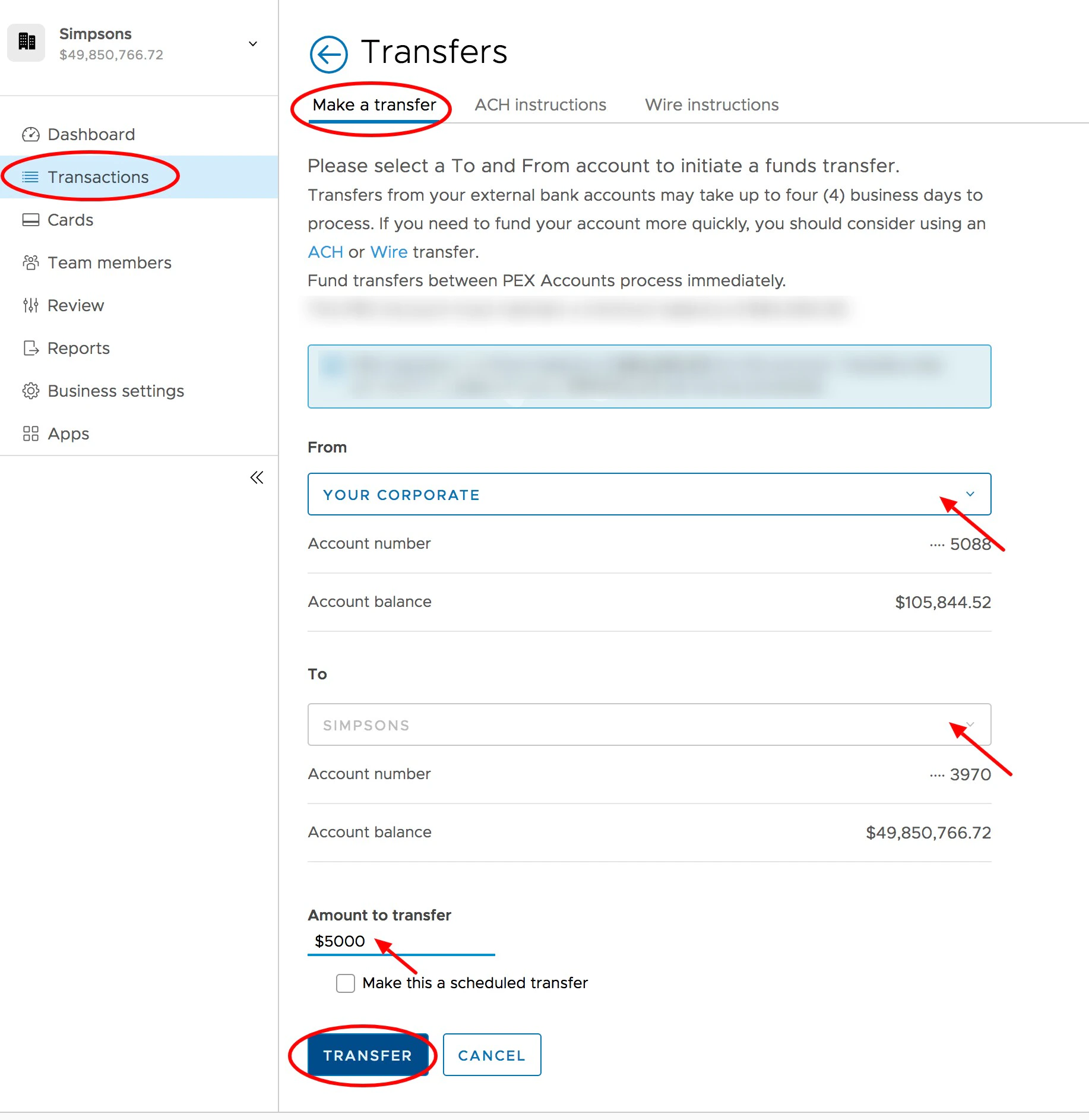
Log into [https://dashboard.pexcard.com/](https://dashboard.pexcard.com/?utm_source=support)
Click the "Transactions" tab in the left navigation
Click "Make a Transfer" (blue button on upper right)
Select the PEX Account from the drop-down list in the "From" field
Select an external bank account from the drop-down list in the "To" field
* If there is only one option, it will be pre-selected
Enter the amount to transfer in the "Amount to transfer" box
Click the "Transfer" button at bottom
Review and click the "Confirm" button on the confirmation screen
 **Note:**
Any transfers from your PEX business account by administrators to your bank will incur a \$10 outbound transfer fee. These and other fees are outlined on our [pricing page](https://www.pexcard.com/pricing/complete-pricing-details/?utm_source=support).
**Note:**
Any transfers from your PEX business account by administrators to your bank will incur a \$10 outbound transfer fee. These and other fees are outlined on our [pricing page](https://www.pexcard.com/pricing/complete-pricing-details/?utm_source=support).