> ## Documentation Index
> Fetch the complete documentation index at: https://support.pexcard.com/llms.txt
> Use this file to discover all available pages before exploring further.
# How to Update Your Business Address on All Programs
> Update the business address associated with your PEX account from Business Settings in the administrator dashboard.
## How to Update your Business Address
You can update your business address by logging into the Dashboard, and following the instructions below:
Log into [dashboard.pexcard.com](https://dashboard.pexcard.com?utm_source=support)
From the "Dashboard" tab, click "Business Settings" on the left side navigation
Click the "Edit" button under your Business Profile address information
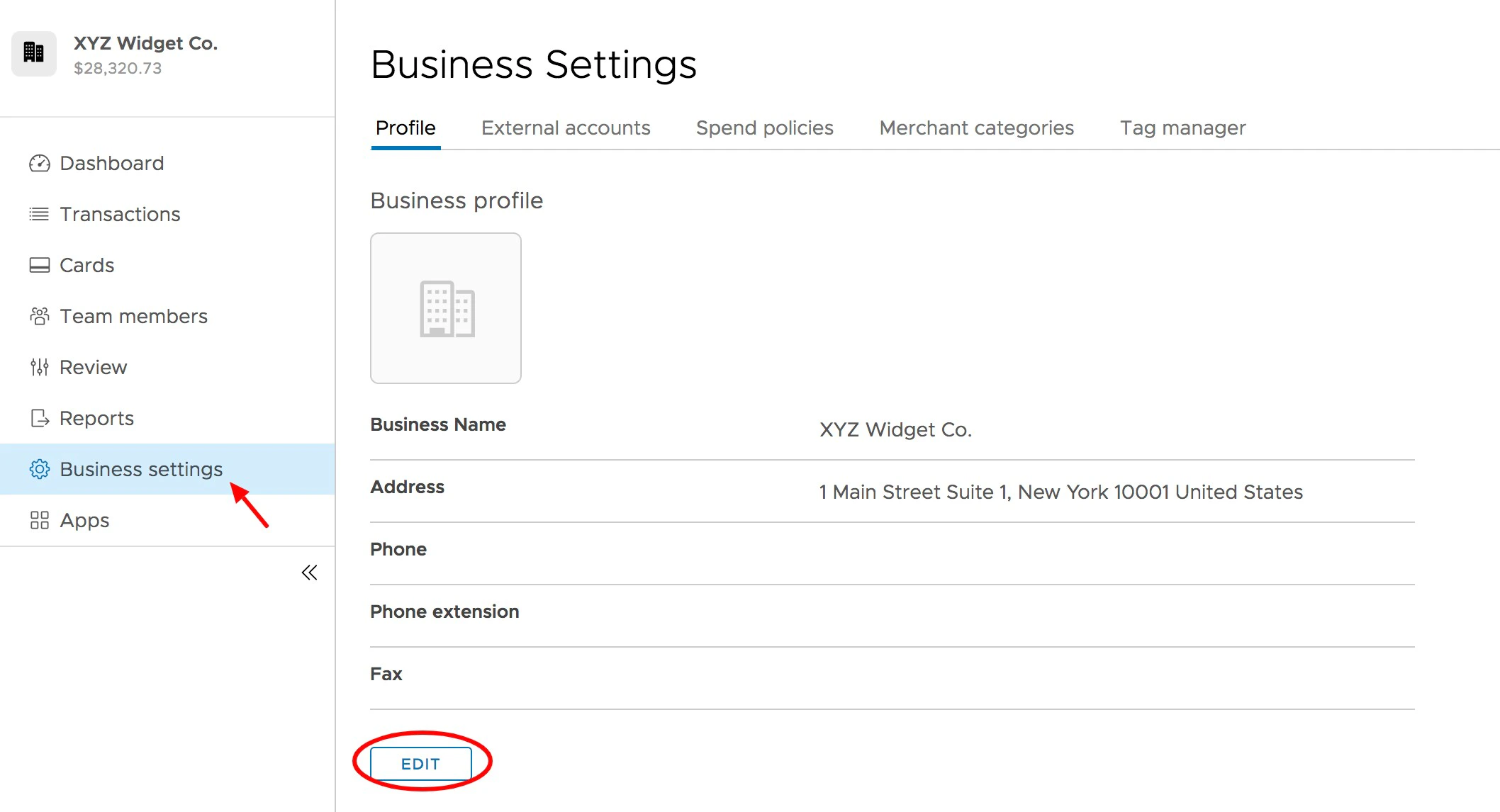 *Click "Edit" to update the Business Address*
Update your business address in the fields provided
To update the **billing address** for all cardholders, check the box "I want to update all cardholder billing addresses to match the above address"
To update the **shipping address** for all cardholders, check the box "I want to update all cardholder shipping addresses to match the above address"
Click the "Update" button to save changes
*Click "Edit" to update the Business Address*
Update your business address in the fields provided
To update the **billing address** for all cardholders, check the box "I want to update all cardholder billing addresses to match the above address"
To update the **shipping address** for all cardholders, check the box "I want to update all cardholder shipping addresses to match the above address"
Click the "Update" button to save changes
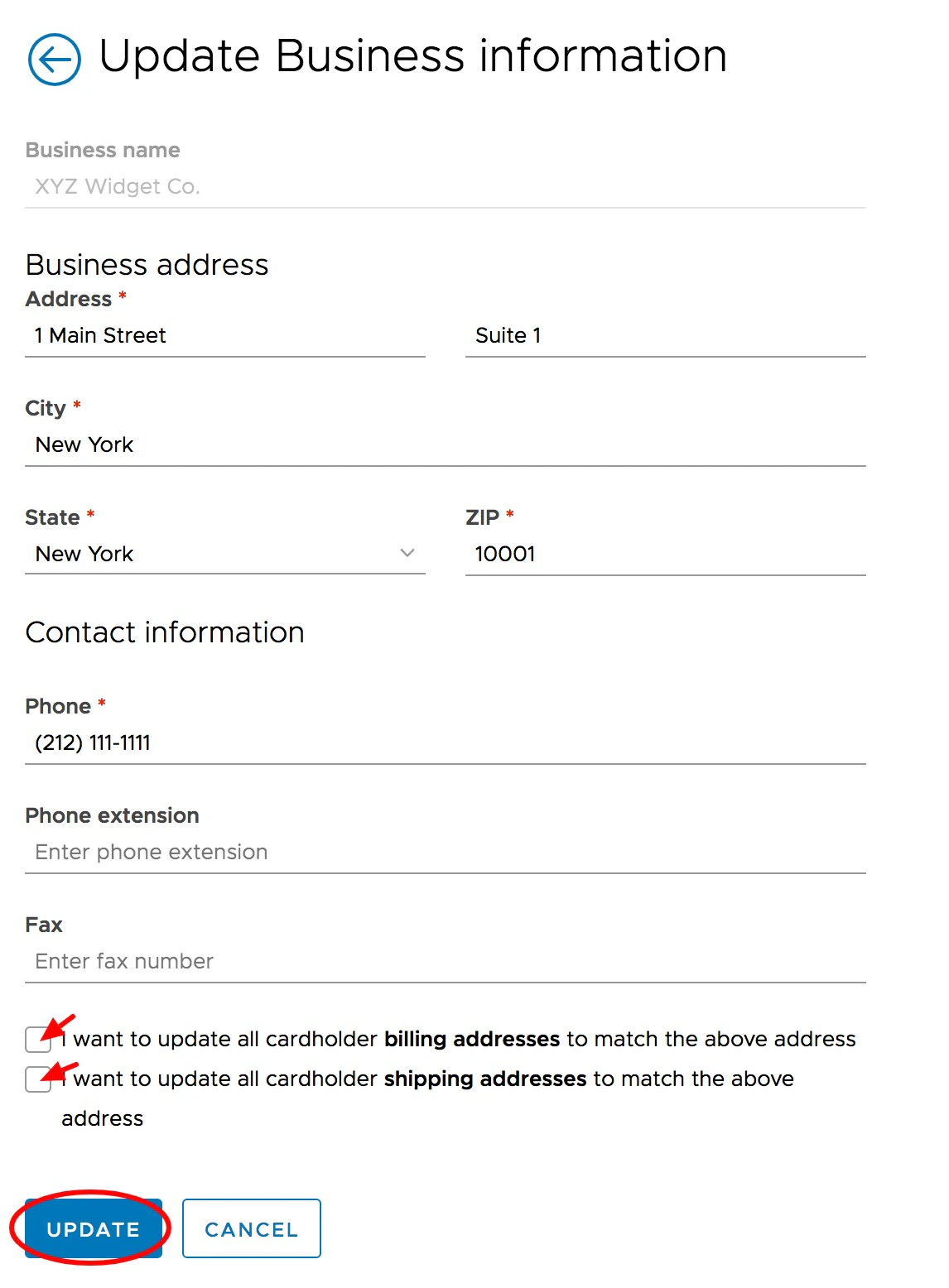 *Click the blue "Update" button to save changes.*
Street addresses are limited to 26 characters and city names to 20 characters when filling out billing and shipping addresses.
**Note:**
Administrators are required to have the Edit Business Profile permission enabled to update these fields.
*Click the blue "Update" button to save changes.*
Street addresses are limited to 26 characters and city names to 20 characters when filling out billing and shipping addresses.
**Note:**
Administrators are required to have the Edit Business Profile permission enabled to update these fields.