> ## Documentation Index
> Fetch the complete documentation index at: https://support.pexcard.com/llms.txt
> Use this file to discover all available pages before exploring further.
# In-person and online transaction spend
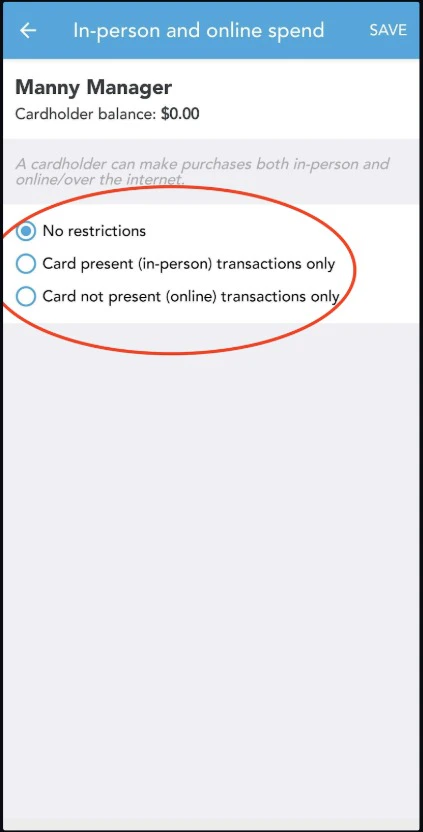
> The PEX card can be limited to in-person, online, or both types of spend. You have the option to restrict cardholders from spending either in store or at virtual retailers. If no restrictions are needed, simply use the no restrictions option.
In-person and online Spend Rules options are
* **No restrictions** - A Cardholder can make purchases in-person and online.
* **Card present (in-person) transactions only** - Cardholder can ONLY make purchases in-person.
* **Card not present (online) transactions only** - Cardholder can ONLY make purchases online.
**[Instructions for the PEX site](#instructions-for-the-pex-site)** **| [Instructions for the Mobile App](#through-the-mobile-app)**
Administrators with "Manage Cardholder" permission can enable or disable "Card Not Present" use of the card:
## **Instructions for the PEX site**
Log in to dashboard.pexcard.com
Click on the "Cards" tab
Locate and click on the cardholder's name
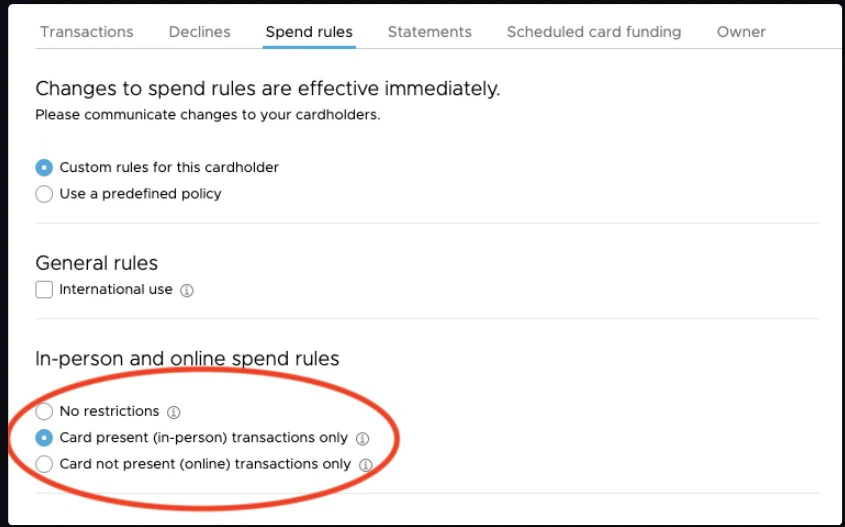
Click on "Spend Rules" in the card details page
Select the option under “In-person and online spend rules”
Click "Save Changes" to update the spend rules for the card
 ## **Through the mobile app**
* Download the [iOS app from the App Store](https://apps.apple.com/app/id584331280)
* Download the [Android app from the Google Play Store](https://play.google.com/store/apps/details?id=com.softjourn.pexcardholder)
Log in to the Mobile App
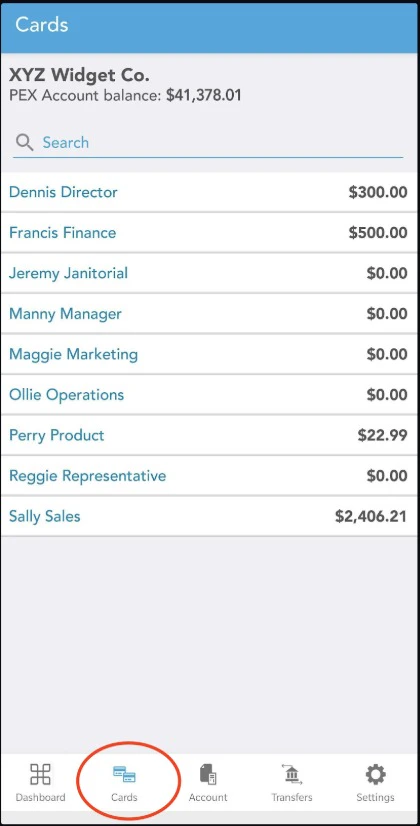
Click the "Cards" icon at the bottom of the screen
## **Through the mobile app**
* Download the [iOS app from the App Store](https://apps.apple.com/app/id584331280)
* Download the [Android app from the Google Play Store](https://play.google.com/store/apps/details?id=com.softjourn.pexcardholder)
Log in to the Mobile App
Click the "Cards" icon at the bottom of the screen
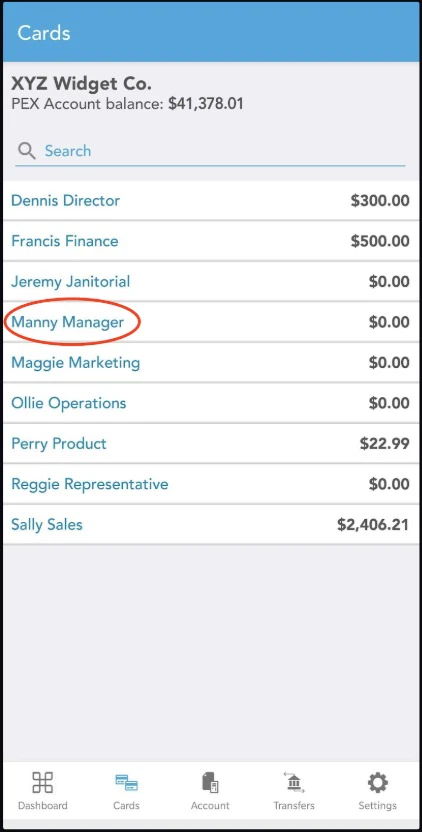
 Click on the cardholder's name
 Click "Spend Rules"
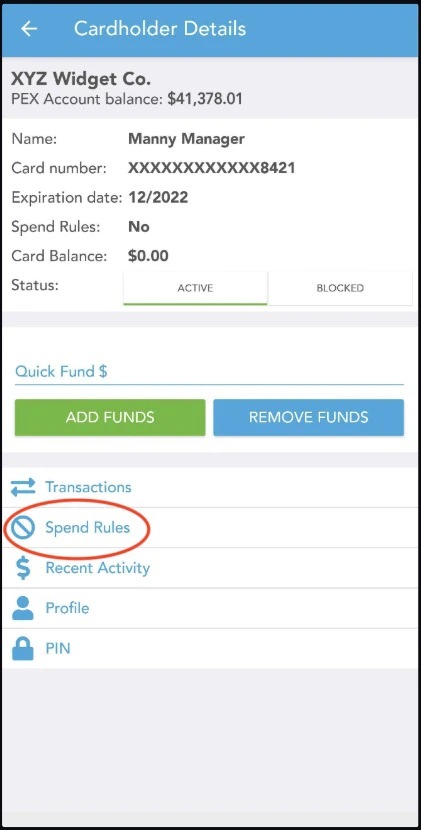 Click "In-person and online spend"
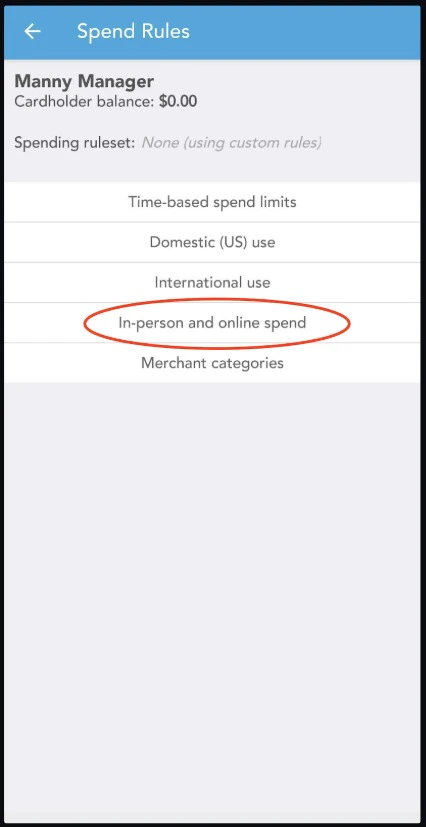 Select an option to limit transaction spend, In-person, online or both.