> ## Documentation Index
> Fetch the complete documentation index at: https://support.pexcard.com/llms.txt
> Use this file to discover all available pages before exploring further.
# International Use of PEX Cards on All Programs
> Cardholders can use PEX cards Internationally, when the Administrator gives them permission.
* There are certain countries where the US Government and our banking partners block the use of the card, to fight the funding of terrorism and to prevent money laundering and fraudulent transactions.
* The full list of sanctioned countries can be found at the bottom of this article.
[Instructions for the Mobile App](/administrator-guide/international-use-of-pex-cards-on-all-programs#how-to-enable-or-disable-international-spend-mobile-app)
## How to Enable or Disable International Use of PEX Cards
Log in to [dashboard.pexcard.com](https://dashboard.pexcard.com?utm_source=support)
Click the "Cards" tab
Locate and click on the cardholder's name to open their Card Details
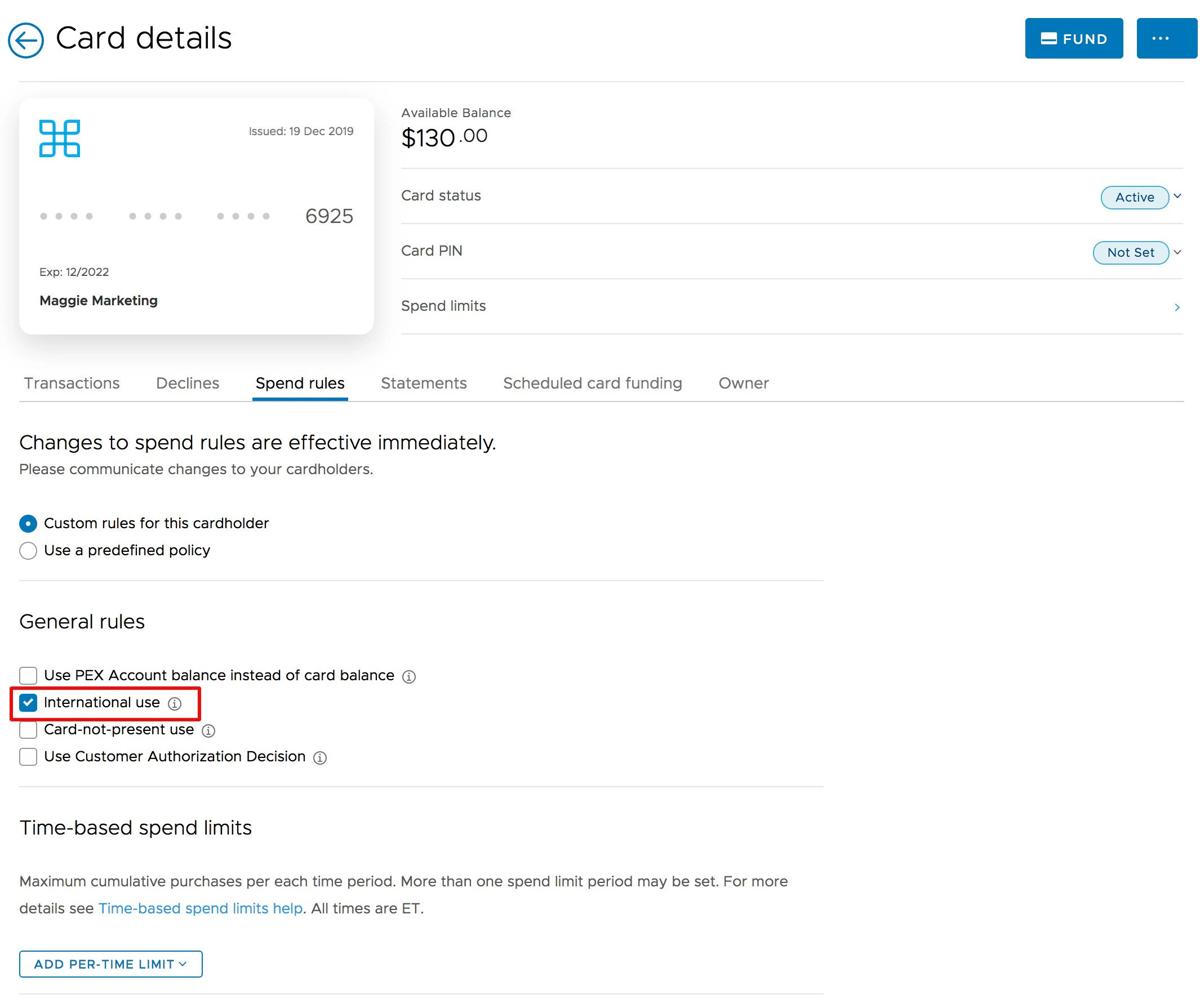
Click on "Spend Rules" tab on the Card Details page
Check/uncheck the box beside "International Use" to turn the card On or Off for international use
Click the blue "Save Changes" button at the bottom of the page
 ## How to Enable or Disable International Spend (Mobile App)
Make sure you have the PEX Mobile app installed on your phone
* Download the [iOS app from the App Store](https://itunes.apple.com/app/id584331280)
* Download the [Android app from the Google Play Store](https://play.google.com/store/apps/details?id=com.softjourn.pexcardholder)
* The download is free but carrier data rates may apply
To allow cardholders to spend internationally:
Open the Mobile App and Log in
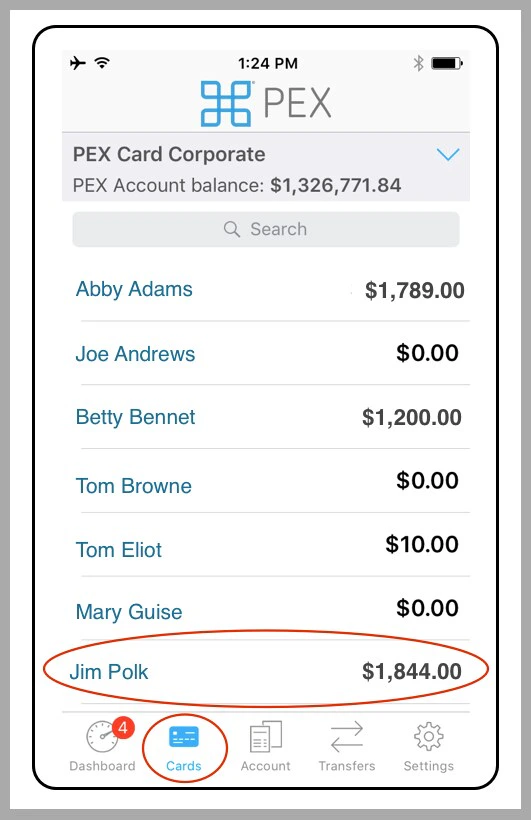
Click the "Cards" icon at the bottom of the screen to see the list of cardholders
Locate the cardholder
Click on the cardholder's name
## How to Enable or Disable International Spend (Mobile App)
Make sure you have the PEX Mobile app installed on your phone
* Download the [iOS app from the App Store](https://itunes.apple.com/app/id584331280)
* Download the [Android app from the Google Play Store](https://play.google.com/store/apps/details?id=com.softjourn.pexcardholder)
* The download is free but carrier data rates may apply
To allow cardholders to spend internationally:
Open the Mobile App and Log in
Click the "Cards" icon at the bottom of the screen to see the list of cardholders
Locate the cardholder
Click on the cardholder's name
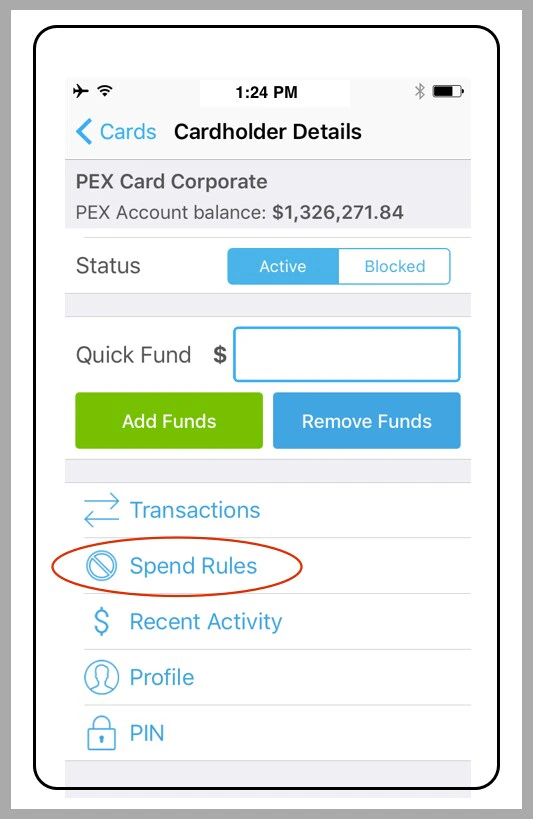
 Click on "Spend Rules"
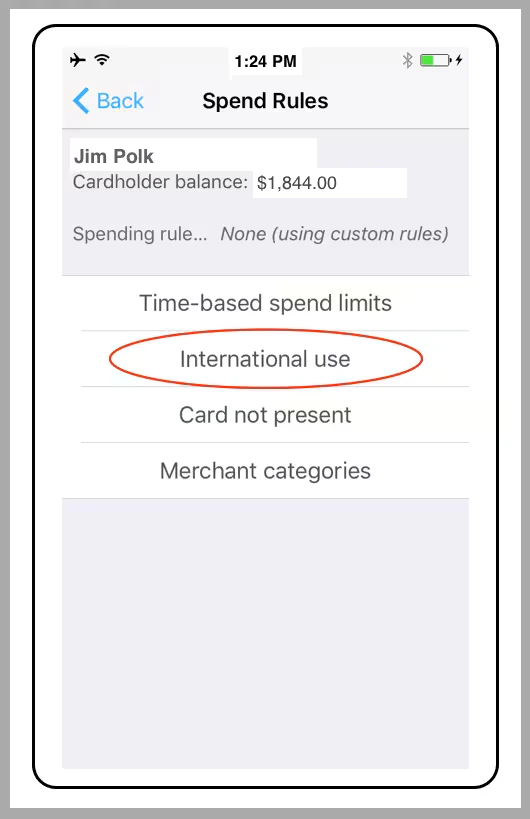
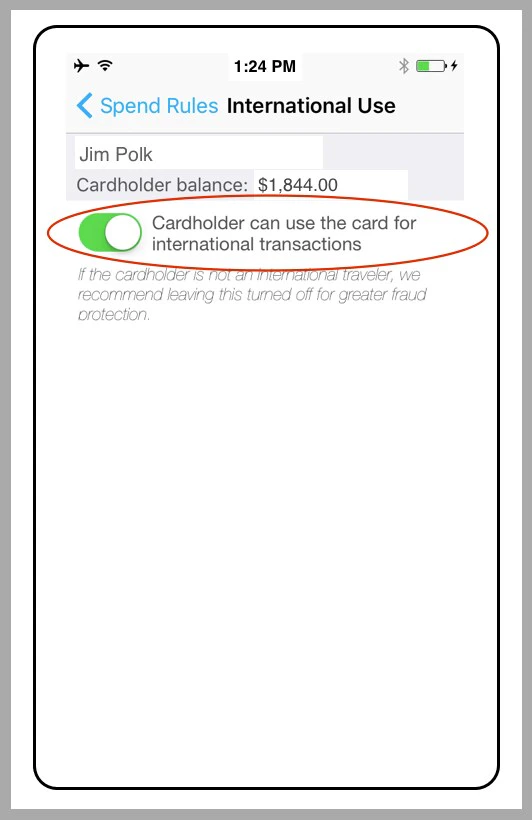
 Click on "International Use"
 Click the "On/Off" button to give the cardholder permission to use the card internationally (or not). Green for on.
 **International Use of the PEX Card: Definition, ISA, Sanctioned Countries**
*Definition of "International"*
* PEX defines as "International" any transaction outside the 50 US States and the District of Columbia
* This is the case even when the transaction is denominated in US Dollars (e.g., in Panama, where US dollars are legal tender)
*ISA (International Service Assessment) Fee*
* International transactions incur the mandatory International Service Assessment (ISA) fee, 3% of the value of the transaction
* Administrators can see the ISA fee as a separate line item within the transactions list
## Sanctioned and High Risk Countries
In accordance with US Government sanctions, and in keeping with rules of our issuing bank to minimize the risk of money laundering and fraudulent transactions, the PEX card will not work in the following countries:
AFGHANISTAN\
BELARUS\
CENTRAL AFRICAN REPUBLIC\
CONGO (Brazzaville)\
CONGO, Democratic Republic\
CRIMEA Region of Ukraine\
CUBA\
DARFUR Region of Sudan\
IRAN\
IRAQ\
KOREA, NORTH\
LEBANON\
LIBYA\
MALI\
NICARAGUA\
RUSSIA\
SOMALIA\
SOUTH SUDAN\
SUDAN\
SYRIA\
VENEZUELA\
YEMEN\
YUGOSLAVIA
**International Use of the PEX Card: Definition, ISA, Sanctioned Countries**
*Definition of "International"*
* PEX defines as "International" any transaction outside the 50 US States and the District of Columbia
* This is the case even when the transaction is denominated in US Dollars (e.g., in Panama, where US dollars are legal tender)
*ISA (International Service Assessment) Fee*
* International transactions incur the mandatory International Service Assessment (ISA) fee, 3% of the value of the transaction
* Administrators can see the ISA fee as a separate line item within the transactions list
## Sanctioned and High Risk Countries
In accordance with US Government sanctions, and in keeping with rules of our issuing bank to minimize the risk of money laundering and fraudulent transactions, the PEX card will not work in the following countries:
AFGHANISTAN\
BELARUS\
CENTRAL AFRICAN REPUBLIC\
CONGO (Brazzaville)\
CONGO, Democratic Republic\
CRIMEA Region of Ukraine\
CUBA\
DARFUR Region of Sudan\
IRAN\
IRAQ\
KOREA, NORTH\
LEBANON\
LIBYA\
MALI\
NICARAGUA\
RUSSIA\
SOMALIA\
SOUTH SUDAN\
SUDAN\
SYRIA\
VENEZUELA\
YEMEN\
YUGOSLAVIA