> ## Documentation Index
> Fetch the complete documentation index at: https://support.pexcard.com/llms.txt
> Use this file to discover all available pages before exploring further.
# Same-Day ACH Transfers
> PEX allows you to perform a 'same day' transfer of funds from your Business Checking account to your PEX account. If you initiate a Same Day ACH transfer before 12:15 PM ET, the funds will be available in your PEX account at 1:00 PM ET. Transfers submitted after 12:15 PM ET will be processed the next business day.
## How to initiate a same day ACH transfer
**Note:**
Some customers may need to relink their external bank accounts through Instant Account Verification via Open Banking Providers to access Same Day ACH transfers. All customers will have access to increased Same Day ACH daily transaction limits by linking or relinking their bank accounts through Instant Account Verification via Open Banking Providers.
Log on to [dashboard.pexcard.com](https://dashboard.pexcard.com?utm_source=support)
Click on the tab titled "Transactions"
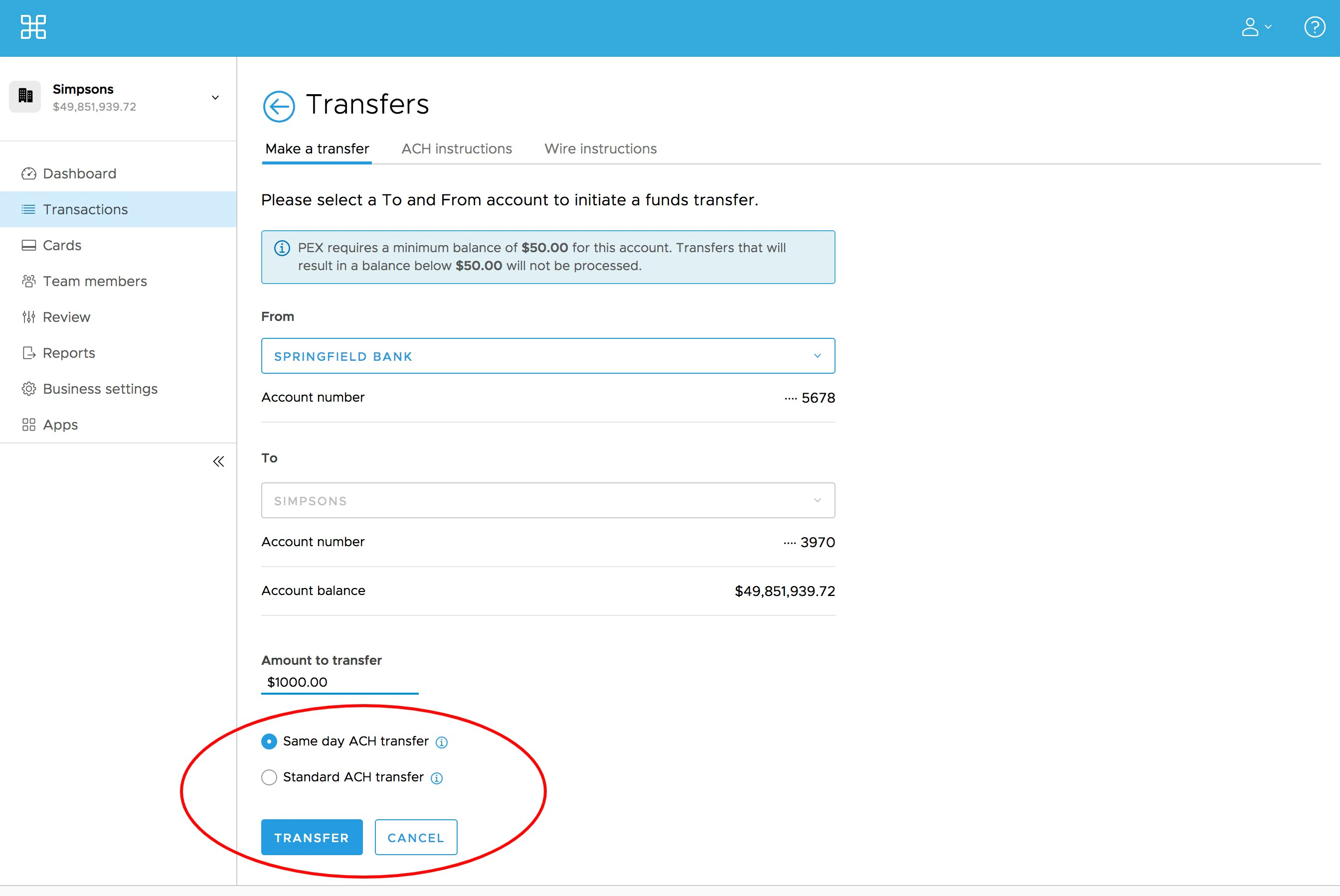
Go to "Make a transfer"
Select the 'From' bank account (if you have multiple bank account accounts)
Enter the Amount to transfer
**Note:**
Same day ACH transfers are subject to lower transfer limits compared to standard ACH transfers. If you need to transfer an amount in excess of your Same day ACH limit, you will need to choose "Standard ACH Transfer" as noted below.
The "Same day ACH transfer" radio button will be selected by default. If you wish to transfer funds using the standard ACH process, you can choose "Standard ACH Transfer"
* You will see the expected time when funds will be available under the option you choose.
Click the blue "Transfer" button