> ## Documentation Index
> Fetch the complete documentation index at: https://support.pexcard.com/llms.txt
> Use this file to discover all available pages before exploring further.
# Setting Administrator Permissions on All Programs
> The primary Administrator has full permissions, and can both create Administrators and set their permissions. In order to change the permissions for another Administrator, you yourself must have the permission to 'Add/edit/delete administrators'.
## How to Set an Administrator's Permissions
 Log into [dashboard.pexcard.com](https://dashboard.pexcard.com?utm_source=support)
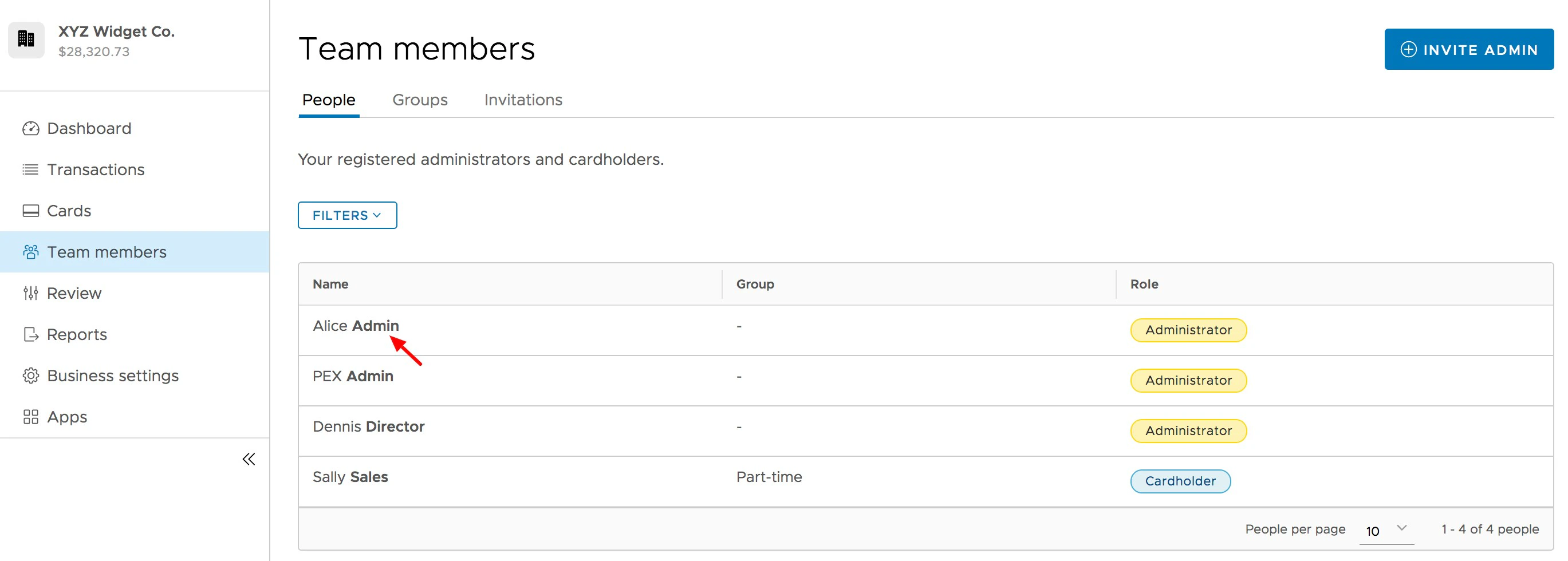
Click the "Team Members" tab on the left side
Click on the name of the Administrator for whom you wish to edit permissions
Log into [dashboard.pexcard.com](https://dashboard.pexcard.com?utm_source=support)
Click the "Team Members" tab on the left side
Click on the name of the Administrator for whom you wish to edit permissions
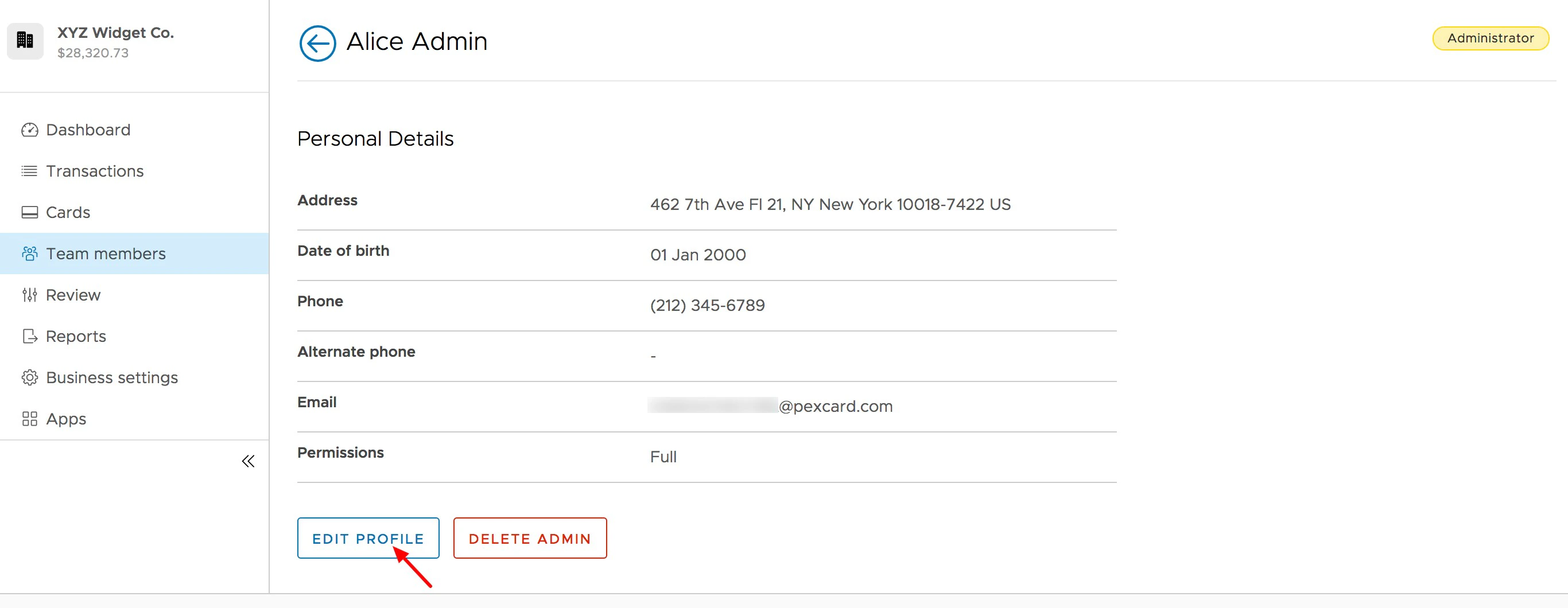
 *Click on the Team Member's administrator profile to open the profile page*
Click "Edit Profile" button on the Administrator's profile
*Click on the Team Member's administrator profile to open the profile page*
Click "Edit Profile" button on the Administrator's profile
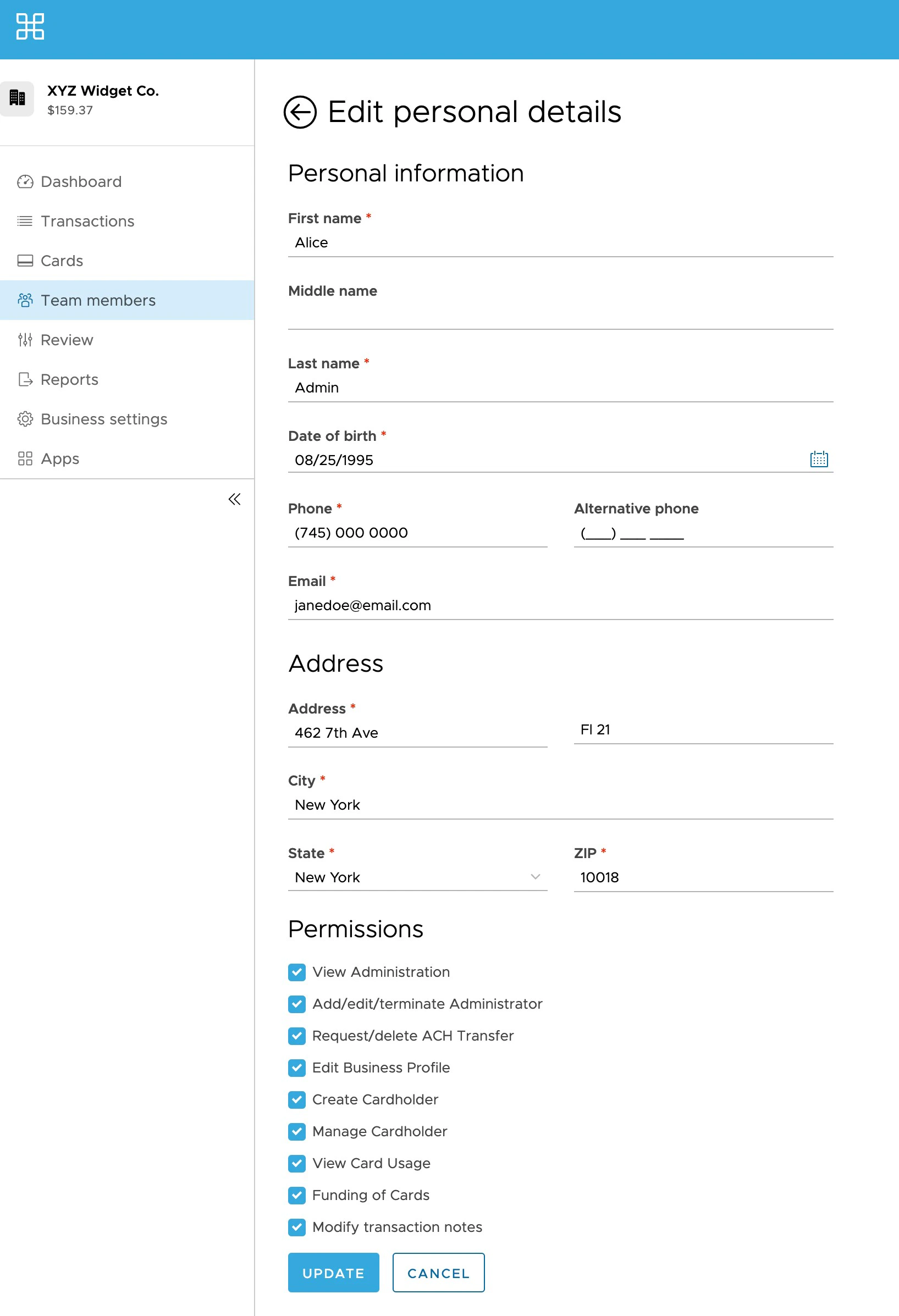
 Select the permissions (check boxes) you want the Administrator to have
Click the blue "Update" button to save changes
**Note:**
PEX is not authorized to update administrator permissions. Partial administrators must speak to an administrator with full privileges to update their permissions for them.
Select the permissions (check boxes) you want the Administrator to have
Click the blue "Update" button to save changes
**Note:**
PEX is not authorized to update administrator permissions. Partial administrators must speak to an administrator with full privileges to update their permissions for them.