> ## Documentation Index
> Fetch the complete documentation index at: https://support.pexcard.com/llms.txt
> Use this file to discover all available pages before exploring further.
# Tips for Searching for Merchants
> Merchant locking is a convenient way to restrict spending, and can be done by using merchant deny list / allow list or by creating a vendor card and locking to a single vendor.
When searching for a vendor, it is important to keep the following tips in mind:
* Ensure that the spelling and spacing are accurate, including dashes and apostrophes
* Enter as many characters as possible for the most accurate search results
* If the merchant you’re searching for has a name shorter than 4 characters, try entering in a 'space' character
If you are still unable to find the vendor you want, you can choose to expand your search (see below). However, the merchant results that appear from an expanded search have not been validated in our database and it is up to your discretion to use them for your card restrictions.
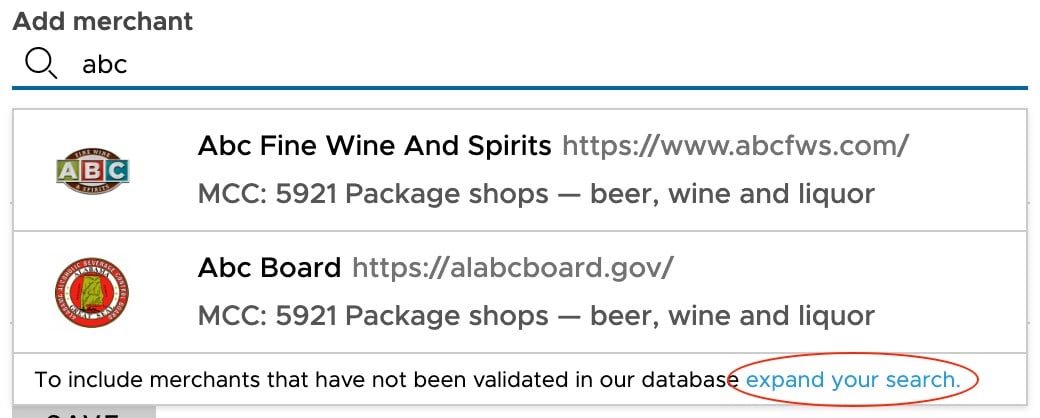 To ensure that you choose the correct option when selecting from expanded search results, we recommend finding the exact vendor name as it appears on a transaction. Then, search for that vendor name using quotes (e.g. "Manny's Pizza Shop"). **Results are case sensitive and must match EXACTLY**. This will ensure that transactions are added to the deny list / allow list appropriately.