> ## Documentation Index
> Fetch the complete documentation index at: https://support.pexcard.com/llms.txt
> Use this file to discover all available pages before exploring further.
# What is an Expired Receipt?
> Learn why receipts attached to pending transactions can expire and how to reattach them when a merchant settles late or reprocesses a charge.
Administrators and cardholders are able to attach a receipt to a pending transaction. Ordinarily, a pending transaction will be matched with the merchant settlement, and the receipt (and any transaction notes) will be saved together with the settlement. However, there are cases where a receipt may be expired:
1. If the merchant did not settle the transaction within 5 days of the purchase.
* If the transaction is cancelled, and you do not expect a settlement from the merchant, then the attached receipt can be deleted.
* You can contact the merchant and let them know that they did not settle the charge.
2. If the merchant reversed the pending transaction and reprocessed it.
* You can download the receipt from the "Expired" tab, save it to your computer, and attach it to the new transaction in the cardholder's transaction history.
* Type the transaction notes that were included with the receipt in the "Add a new note" field.
* This scenario is common with hotels.
3. If the merchant settlement details do not match the pending transaction.
* You can download the receipt from the "Expired" tab, save it to your computer, and attach it to the correct transaction in the cardholder's transaction history.
* Type the transaction notes that were included with the receipt in the "Add a new note" field.
## How to Review Expired Receipts
Log in to [dashboard.pexcard.com](https://dashboard.pexcard.com?utm_source=support).
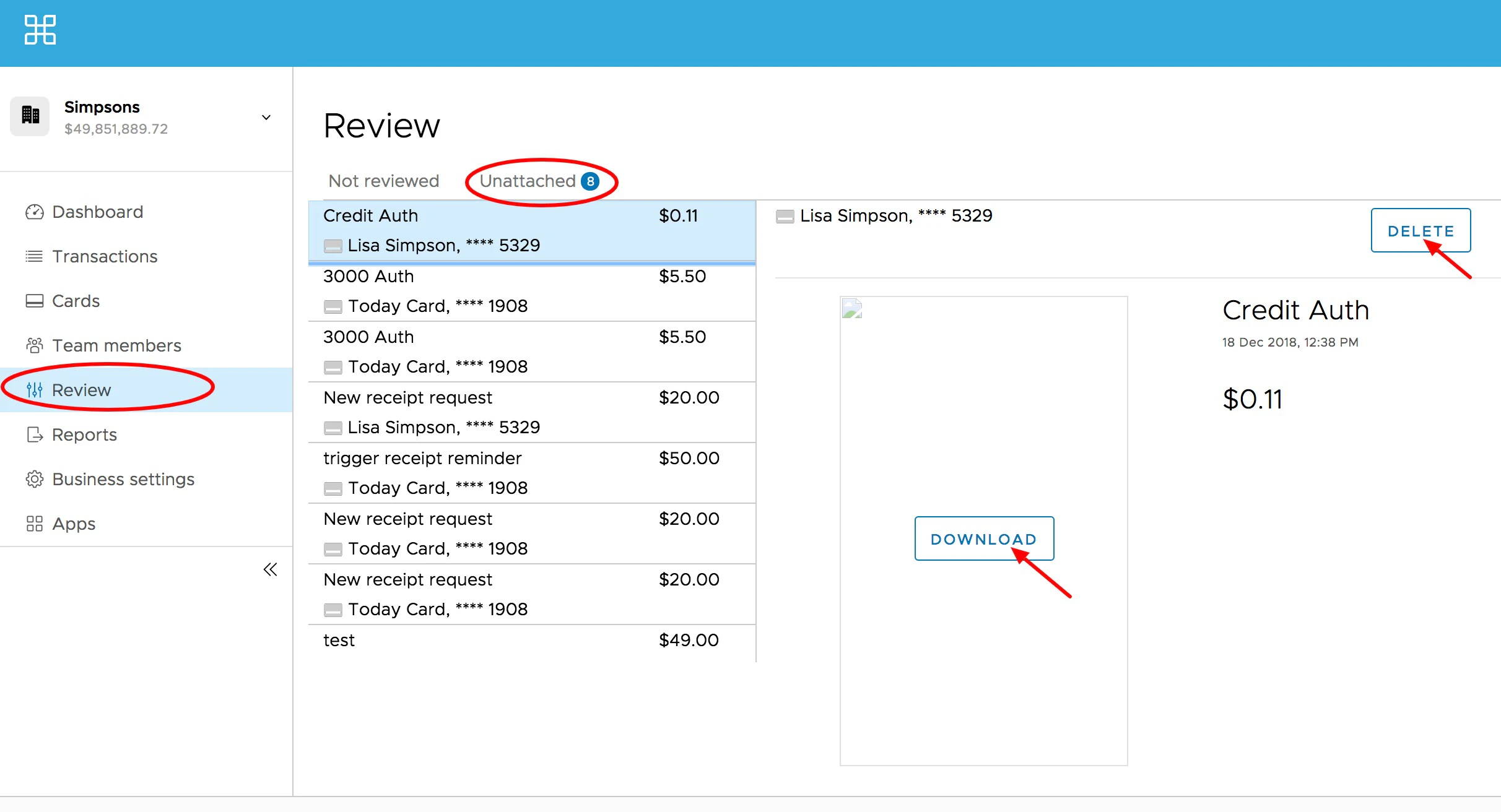
Click the "Review" page on the left navigation.
Click the "Expired" tab.
Review, delete or download expired receipts.
* You can download the receipt from the "Expired" tab, save it to your computer, and attach it to the correct transaction in the cardholder's transaction history. See [How to Attach a Receipt to a Transaction (Administrator Website)](/administrator-guide/how-to-attach-receipt-to-transaction-administrator)