

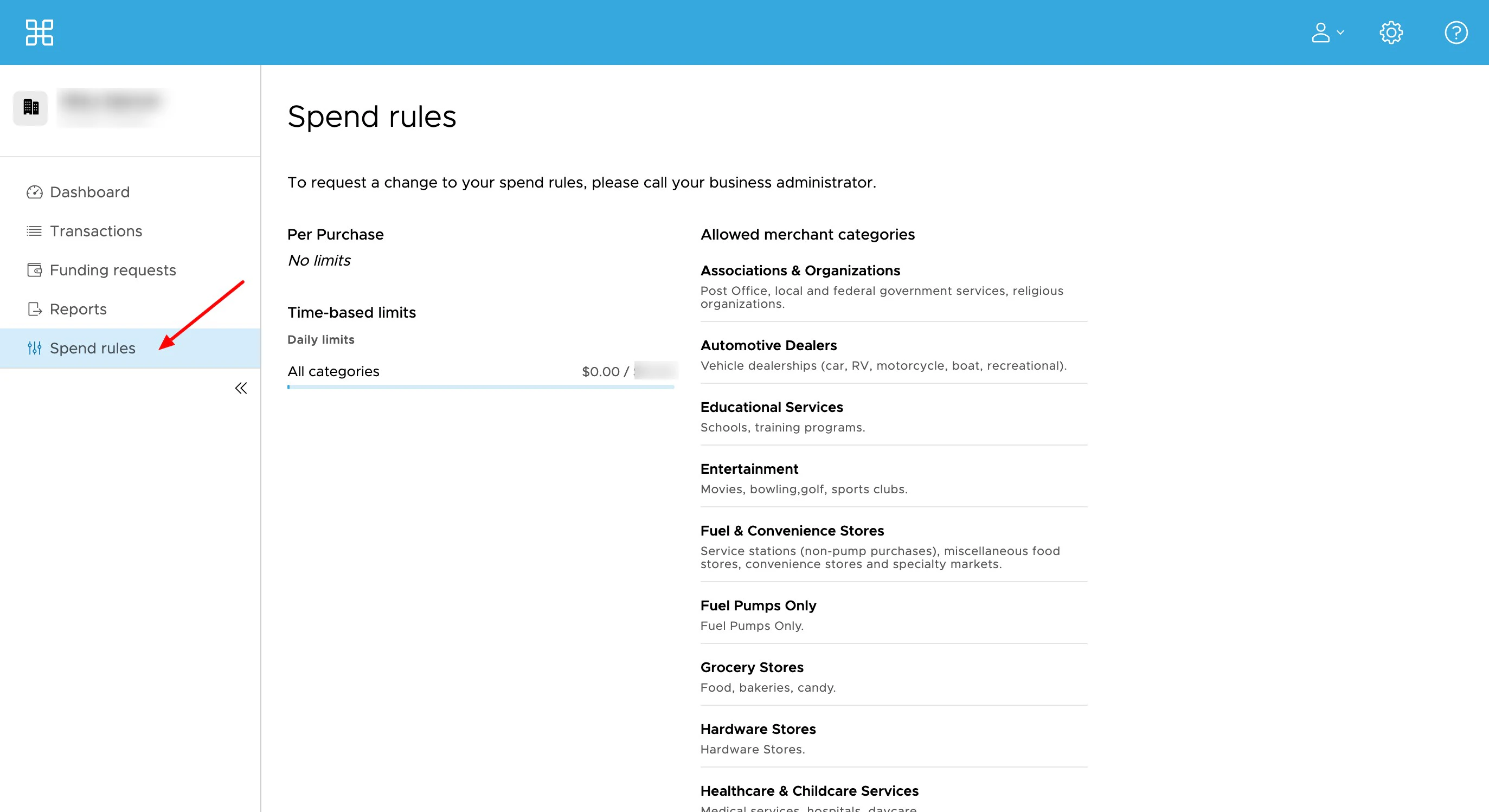
How to See Your Spend Rules in the Cardholder Site:
1
Log into the Cardholder Site
2
Click on the 'Spend Rules' tab
3
You will see your spend permissions, including
- Time-based spend limits
- Per purchase spend limits
- Day of the week spend limits
- If International use is allowed
- Any US state restrictions
- In-person and Card-not-present/online use
- Allowed merchant categories
- Download the iOS app from the App Store
- Download the Android app from the Google Play Store
- The download is free but carrier data rates may apply
1
Log into the Mobile App
2
Click on the 'Spend Rules' icon
3
You will see your spend permissions, including
- Time-based spend limits
- Per purchase spend limits
- Day of the week spend limits
- If International use is allowed
- Any US state restrictions
- In-person and Card-not-present/online use
- Allowed merchant categories