

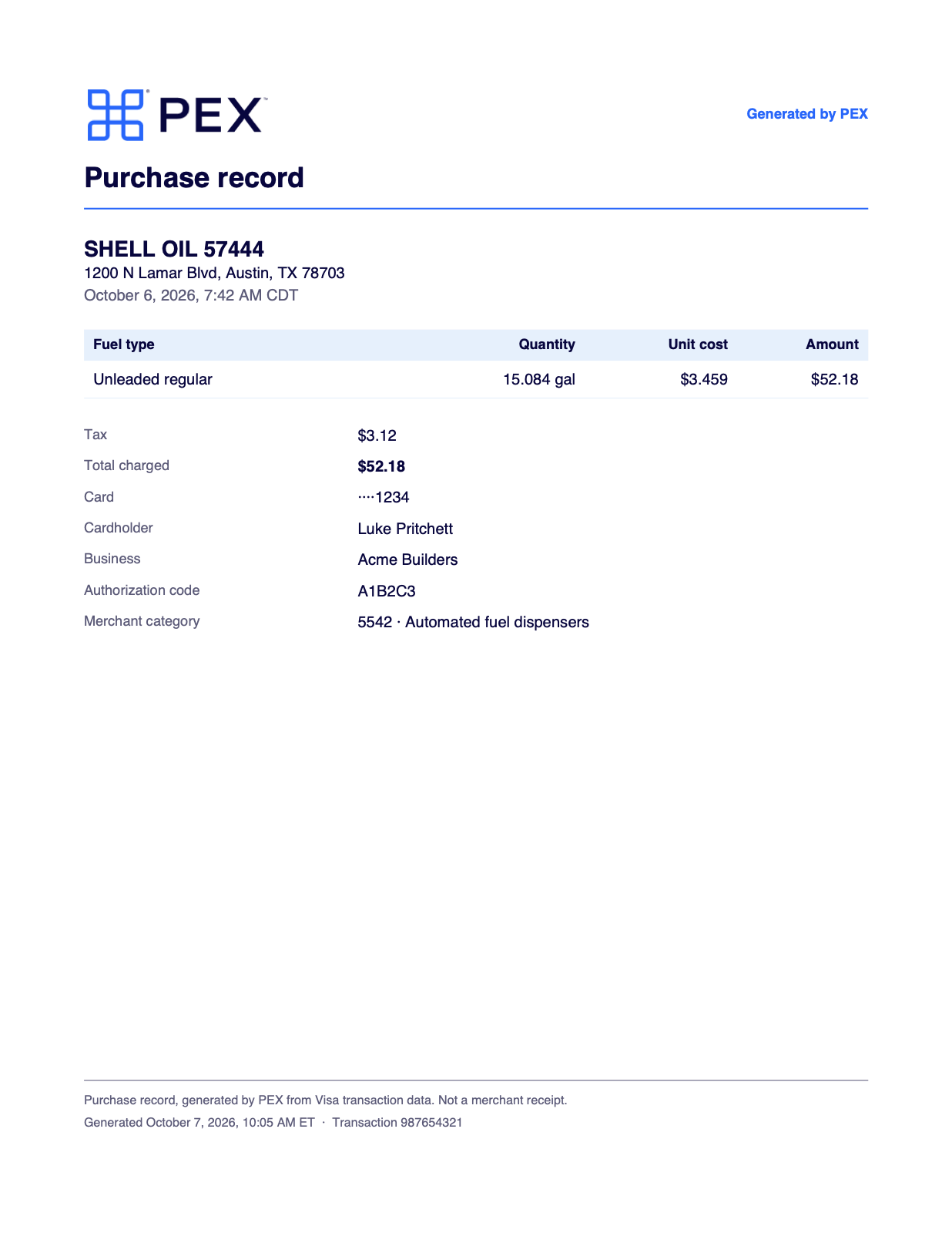
Example of a generated fuel receipt
Turn generated fuel receipts on or off
You need the Manage workflows permission to change this setting.1
Open workflow settings
Go to Business settings → Workflows → Workflow settings.
2
Edit the settings
Select Edit.
3
Find the fuel receipt setting
In the Card purchases section, find Generate receipts for fuel purchases.
4
Choose a setting
Select Enable or Disable.
5
Set the amount
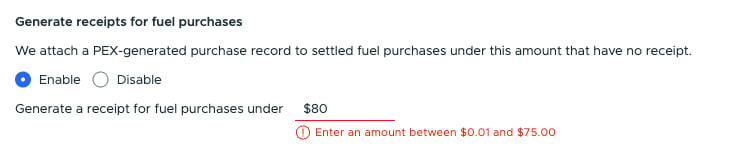
If you selected Enable, enter an amount in Generate a receipt for fuel purchases under.
6
Save the change
Select Update.

Generate receipts for fuel purchases under Card purchases
Note:If the Generate receipts for fuel purchases setting isn’t available, contact PEX administrator support for help enabling the feature on your account.
Set the amount
PEX generates a record only for purchases under the amount you set. The amount starts at $75 and can’t be higher than $75.- Enter any amount from $0.01 to $75.00
- “Under” means below the amount: with $75, a purchase of exactly $75.00 doesn’t get a record
Check your current settings
The Workflow settings tab shows the current setup for Generate receipts for fuel purchases:- Enabled and Under $X.XX means PEX generates records for fuel purchases below that amount
- Disabled means the feature is off
Which purchases get a generated receipt
PEX generates a record when all of these are true:- The card purchase is at a gas station or fuel pump (merchant category 5541 Service stations or 5542 Automated fuel dispensers)
- The purchase has settled
- The amount is under your business’s limit
- No receipt is attached yet
- Visa sent detailed transaction data for the purchase
- The transaction hasn’t been approved
When it appears
The record appears after the purchase settles and Visa’s detailed data for it reaches PEX. It never appears at the pump or while the purchase is pending.Enrollment in Visa’s detailed data
PEX can only build a record for cards enrolled in Visa’s detailed transaction data:- While the setting is on, every new Cardholder is enrolled automatically when they’re added
- Cardholders who existed before you turned the setting on may not be enrolled. Contact PEX administrator support to enroll them
What it contains
A generated fuel receipt shows:- Merchant name and address
- Local date and time of the purchase
- A fuel table with the fuel type, quantity in gallons, unit cost and amount
- Tax, when Visa sends it
- Total charged
- The last four digits of the card
- Cardholder name and business name
- Authorization code and merchant category
When the fuel table is missing
PEX prints the fuel table only when the gallons and unit cost from Visa add up to the amount charged. When they don’t, the record still shows the merchant, the total charged and the card details, without the fuel table. A purchase inside the station store at a 5541 merchant can get a record with no fuel table for the same reason.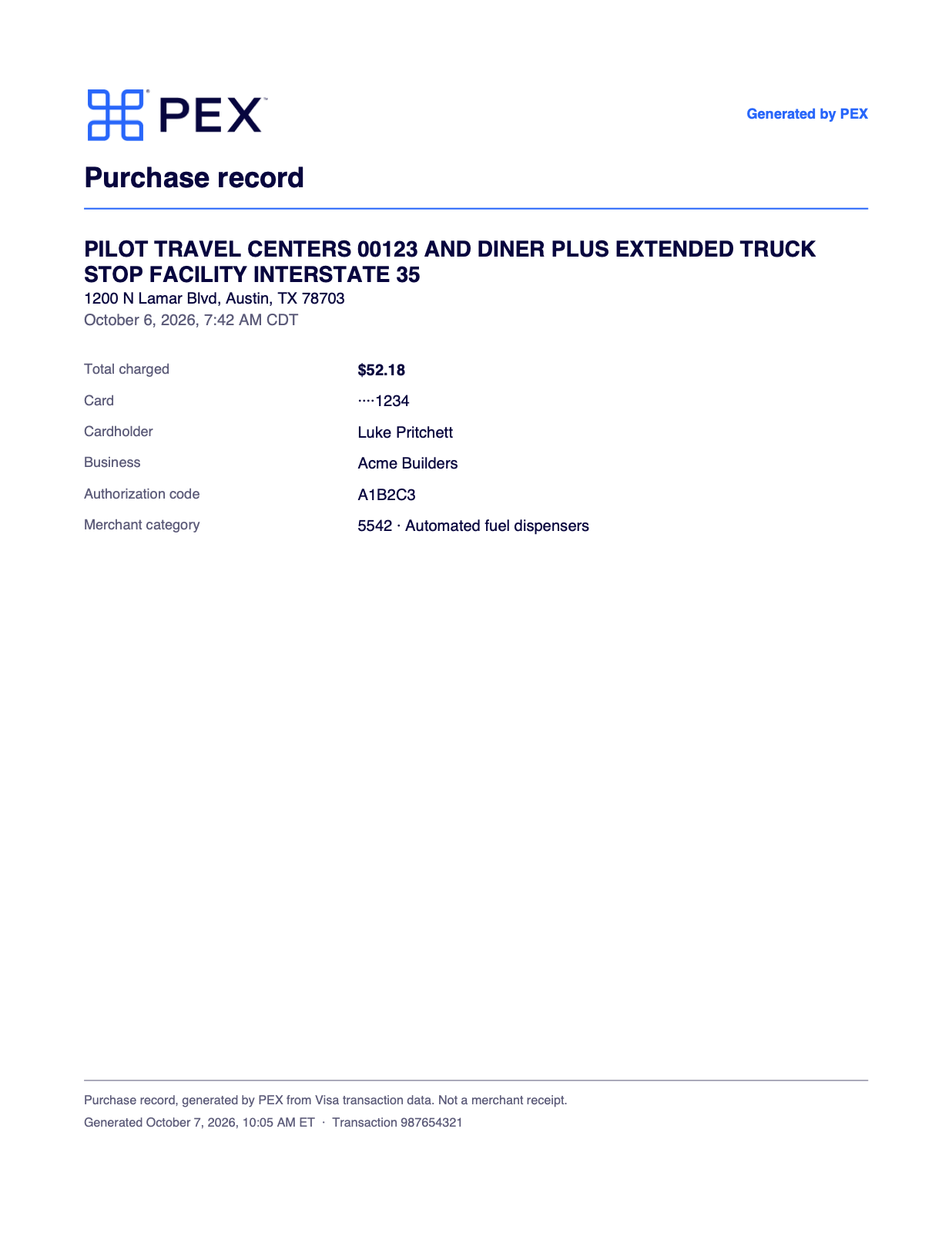
Example of a generated fuel receipt without a fuel table
Where you see it
- Web: the record appears in the transaction’s Receipts section with a Generated by PEX tag. The receipt viewer shows the same tag
- PEX mobile app: the receipt shows a Generated by PEX label
How it works with review, receipts and refunds
- It counts as the receipt. The record is the transaction’s receipt for review and missing-receipt reminders. It doesn’t approve the transaction. Your normal review and approval process still applies
- A real receipt still fits. Cardholders can still add the merchant’s receipt. It attaches alongside the record, and the record doesn’t count toward the transaction’s attachment limit. Receipt matching by email, text or Outlook still matches a real receipt to the transaction
- Lost-receipt affidavits. Once a record is attached, the I don’t have a receipt option no longer shows for that purchase, because the purchase has a receipt. See Lost-receipt affidavit
- Deleting. Admins and Cardholders can delete the record the same way as any other receipt. PEX won’t generate a new one for that purchase
- Refunds. If the purchase is later refunded or reversed, the record stays and PEX adds a note to the transaction saying the purchase was reversed
FAQ
A fuel purchase under my limit has no generated receipt. Why?
A fuel purchase under my limit has no generated receipt. Why?
Check these in order:
- The setting is enabled and the purchase is under the amount you set
- The purchase has settled
- Nothing was attached to the transaction already
- The merchant is a gas station or fuel pump
- The Cardholder is enrolled in Visa’s detailed transaction data. Contact PEX administrator support to check
- Visa’s detailed data hasn’t arrived yet
Does a generated fuel receipt replace the merchant's receipt?
Does a generated fuel receipt replace the merchant's receipt?
It’s a record of the card purchase built from Visa’s data. Whether it meets your expense policy is your business’s call. If your policy requires an itemized merchant receipt for fuel, keep asking Cardholders for one.
I deleted a generated receipt by mistake. Can I get it back?
I deleted a generated receipt by mistake. Can I get it back?
No. PEX can’t generate it again for that purchase. Ask the Cardholder for the merchant’s receipt, or use a lost-receipt affidavit if your business has it turned on.