

Note:Instant Account Verification via Open Banking Providers results in higher approval rates and credit lines.
Before you start
Ensure your bank account has been linked on your PEX business. You can link an external bank account through Instant Account Verification or micro-deposits. If using micro-deposits, complete the validation process first — this can take 2 to 3 business days.How to apply using PDF bank statements
1
Once your bank account is linked and validated, click New account at the top right of the Business Settings screen in the PEX admin Dashboard. Select Credit Expense.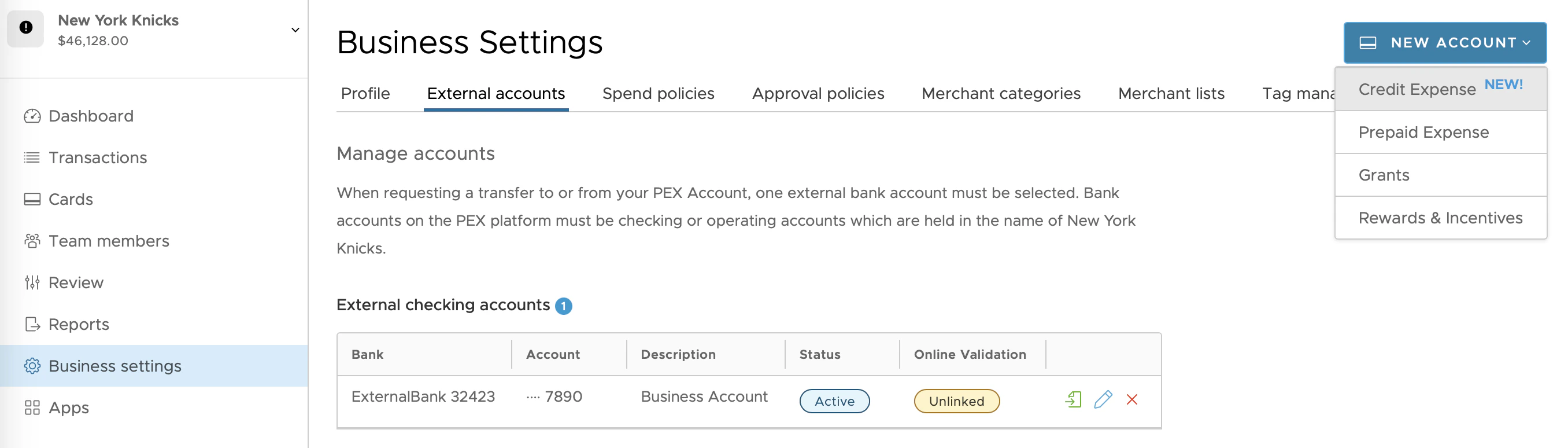
2
If your business only has external bank accounts linked through micro-deposits (or accounts where Instant Account Verification has become unlinked), you’ll see the option to upload PDF bank statements.
3
If you have multiple bank accounts linked, select the account associated with your PDF bank statements using the blue selection picker. The system checks that the statements match the selected account.
4
Upload the last 3 complete months of bank statements into the upload box. Your bank account must have at least 90 days of history.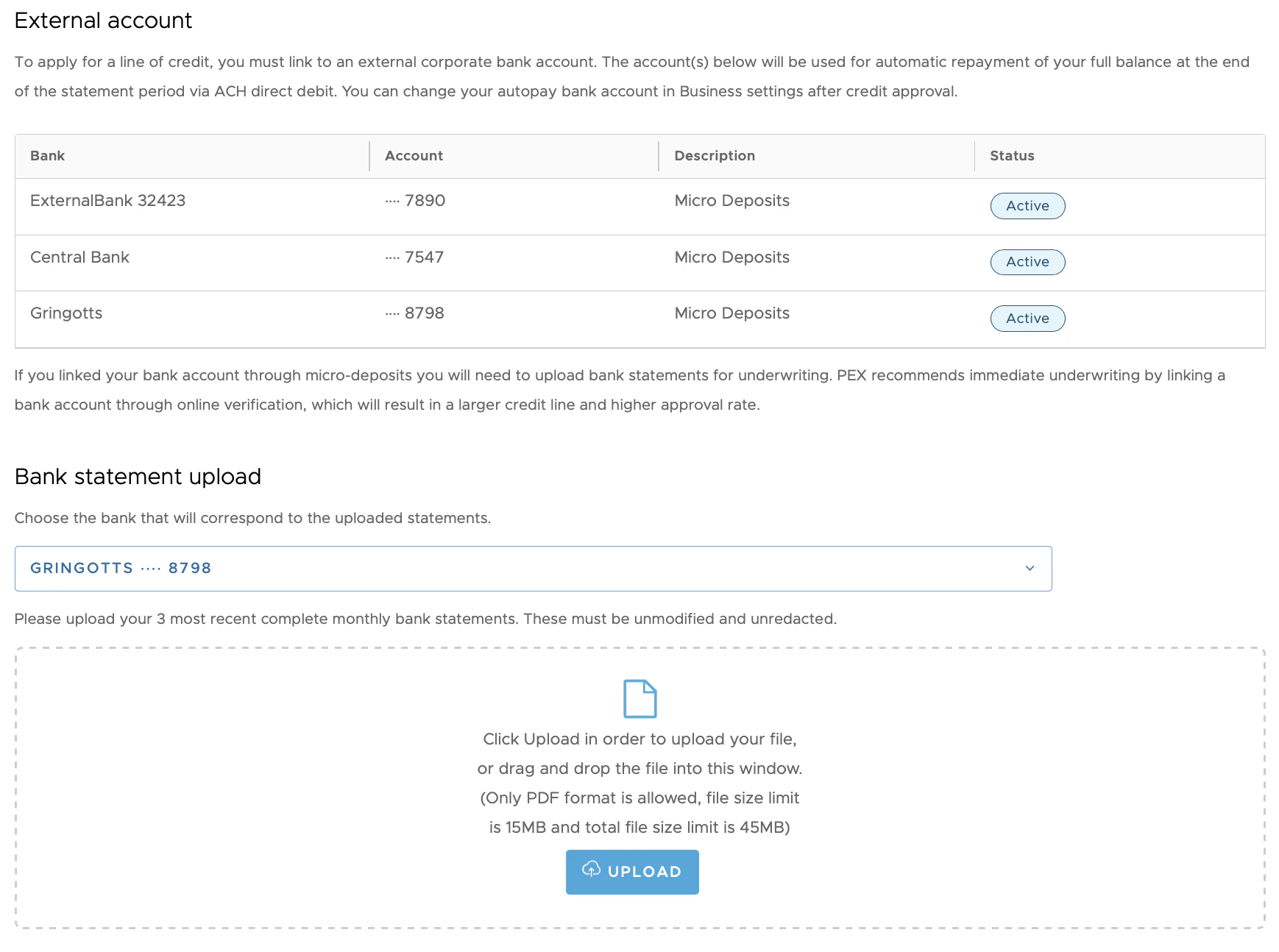
Note:If you have multiple bank accounts linked, they will all be imported to your new Credit Expense business if approved.