

Submit in the PEX mobile app
The I don’t have a receipt link appears only when:- Your admin has enabled Lost-receipt affidavit in Business settings → Workflows → Workflow settings on the web
- The transaction isn’t Approved or Rejected
- The transaction has no receipts or attachments
- No upload is in progress
1
Open a card purchase in Transaction details.
2
On the Receipts tab, tap I don’t have a receipt below No attachments added.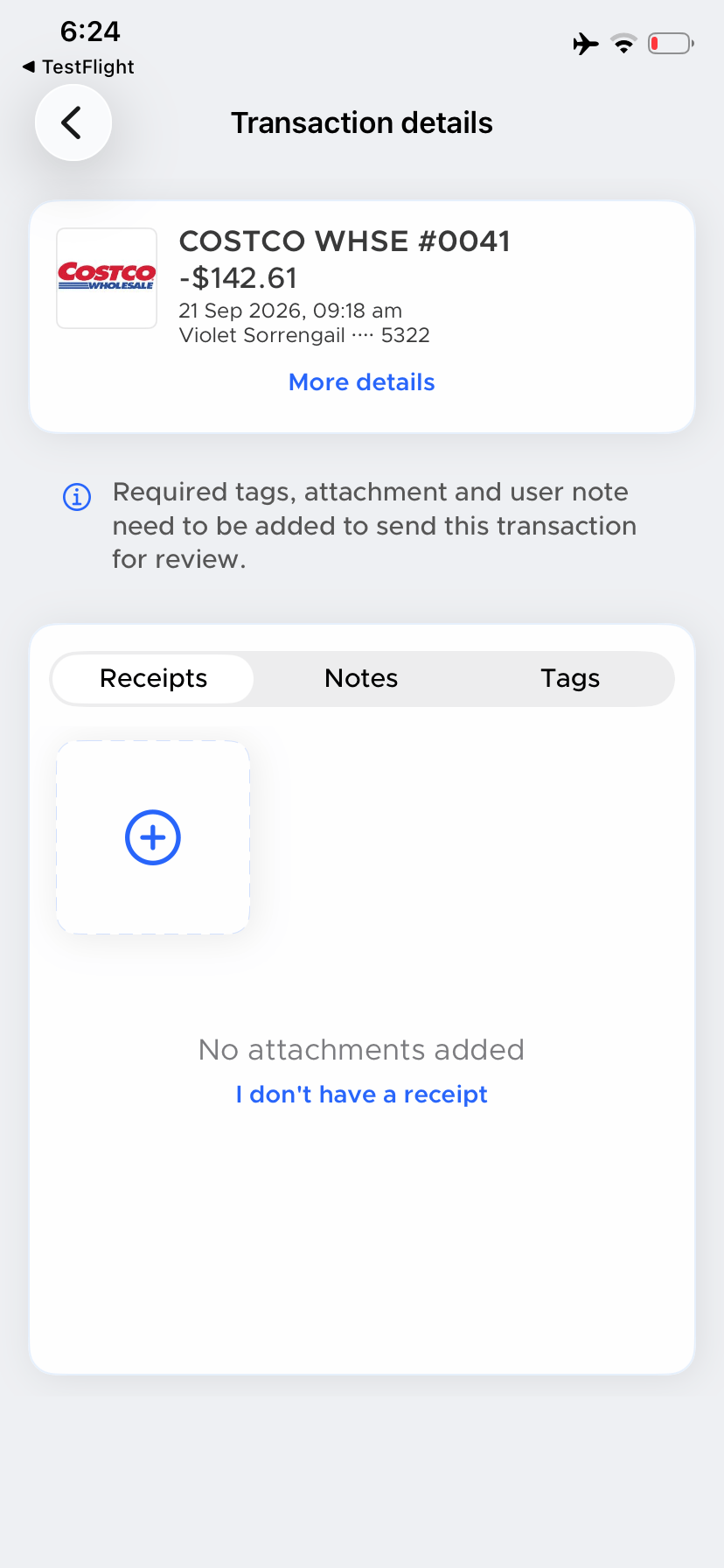
3
Choose a Reason no receipt is available: Lost or misplaced, Never received from merchant, Digital-only (no paper or email) or Other.
4
Enter a Business purpose of 10 to 500 characters. A live counter shows your count out of 500.
5
Turn on the confirmation toggle: “I confirm this transaction is valid and a receipt is genuinely unavailable, and I’ve made a reasonable effort to obtain one.”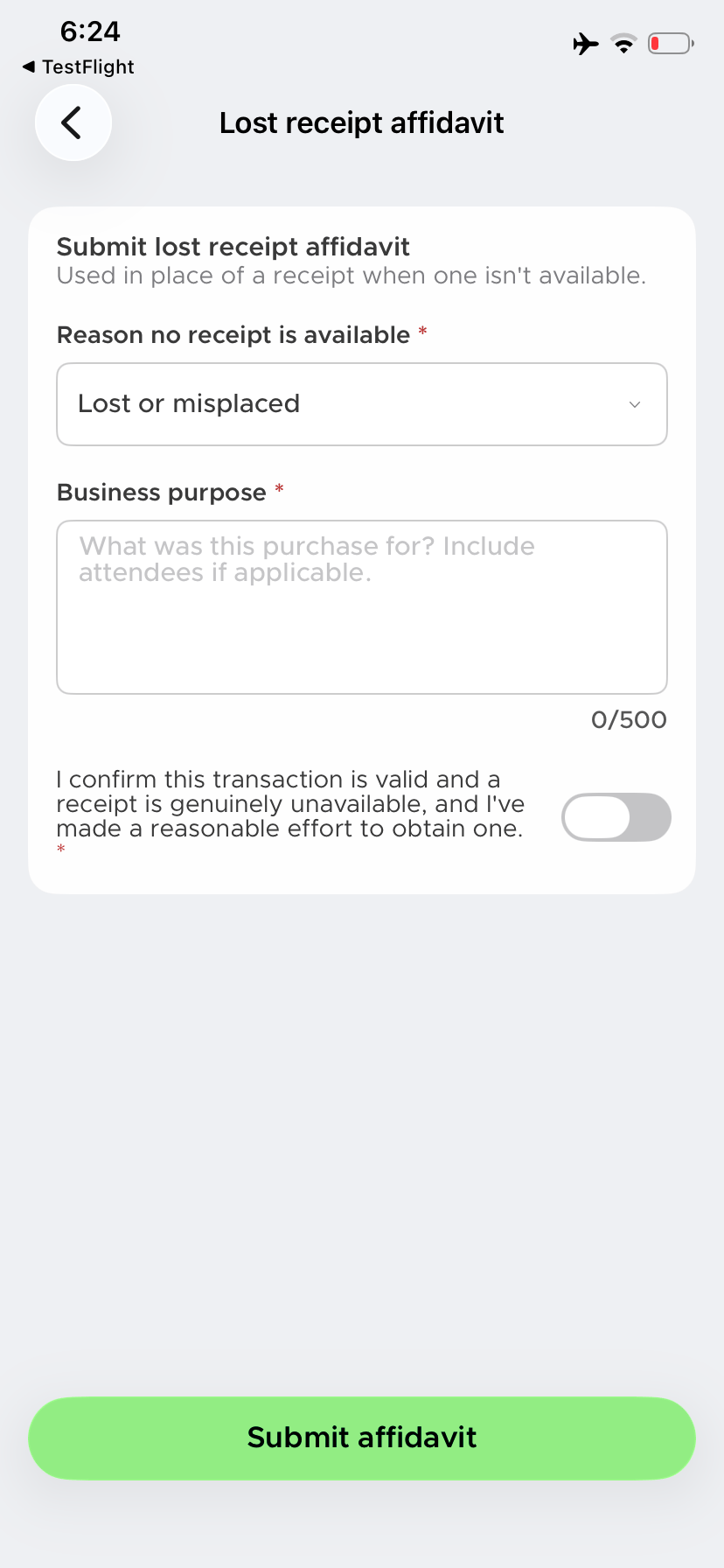
6
Tap Submit affidavit. To leave without submitting, tap the back arrow.
If the transaction is over the maximum
If your admin set a maximum amount and the purchase is above it, the app shows Lost receipt affidavit unavailable and asks you to upload a receipt instead. The app suggests asking the merchant for a duplicate receipt, checking your email for a digital copy or contacting your admin if neither works. Tap Upload receipt to open the receipt picker or camera. $0 means no limit and the form opens.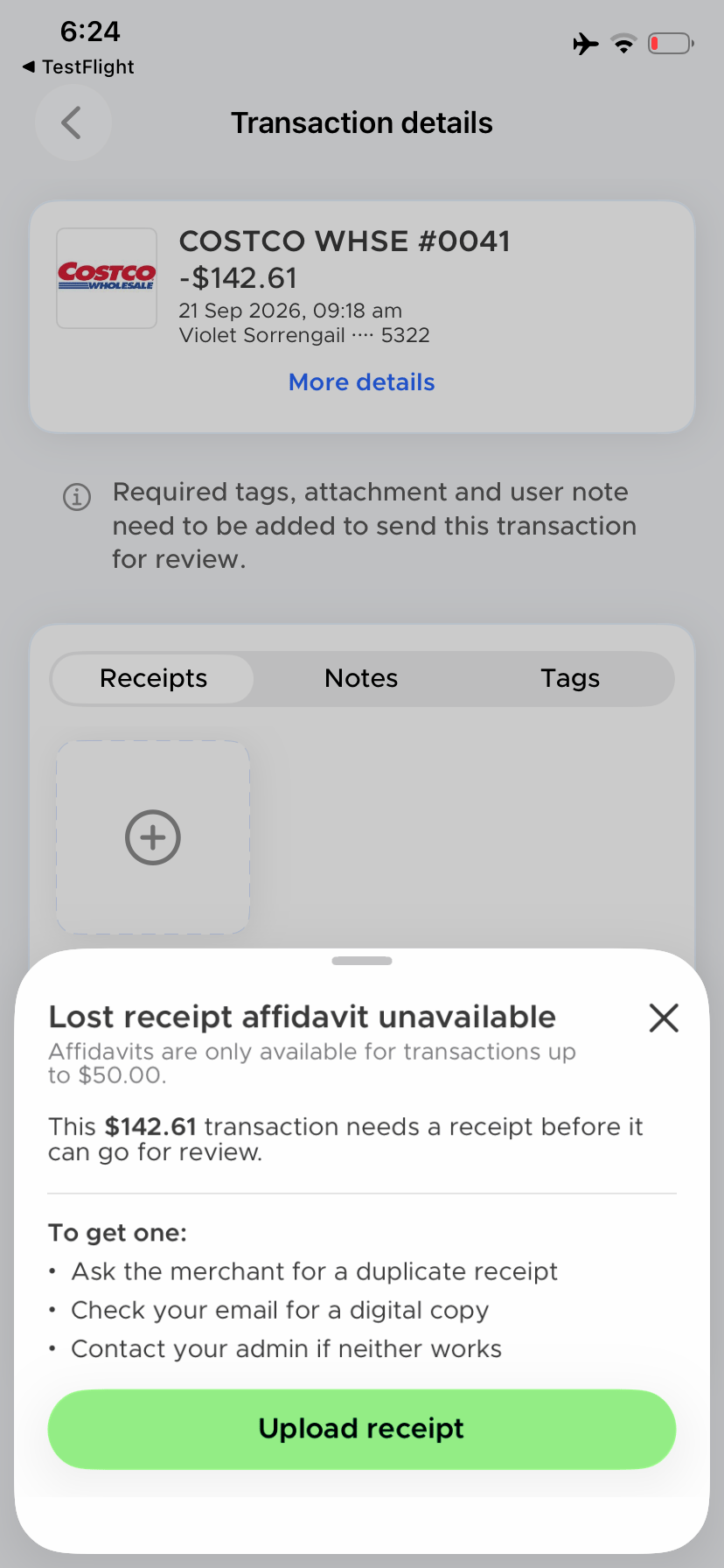
After you submit
The affidavit is added to the Receipts tab as the transaction’s receipt and the I don’t have a receipt link disappears. Tap it to preview the signed affidavit, which shows the transaction, your declaration, the attestation and your signature. From the preview, you can download it or delete it with the trash icon.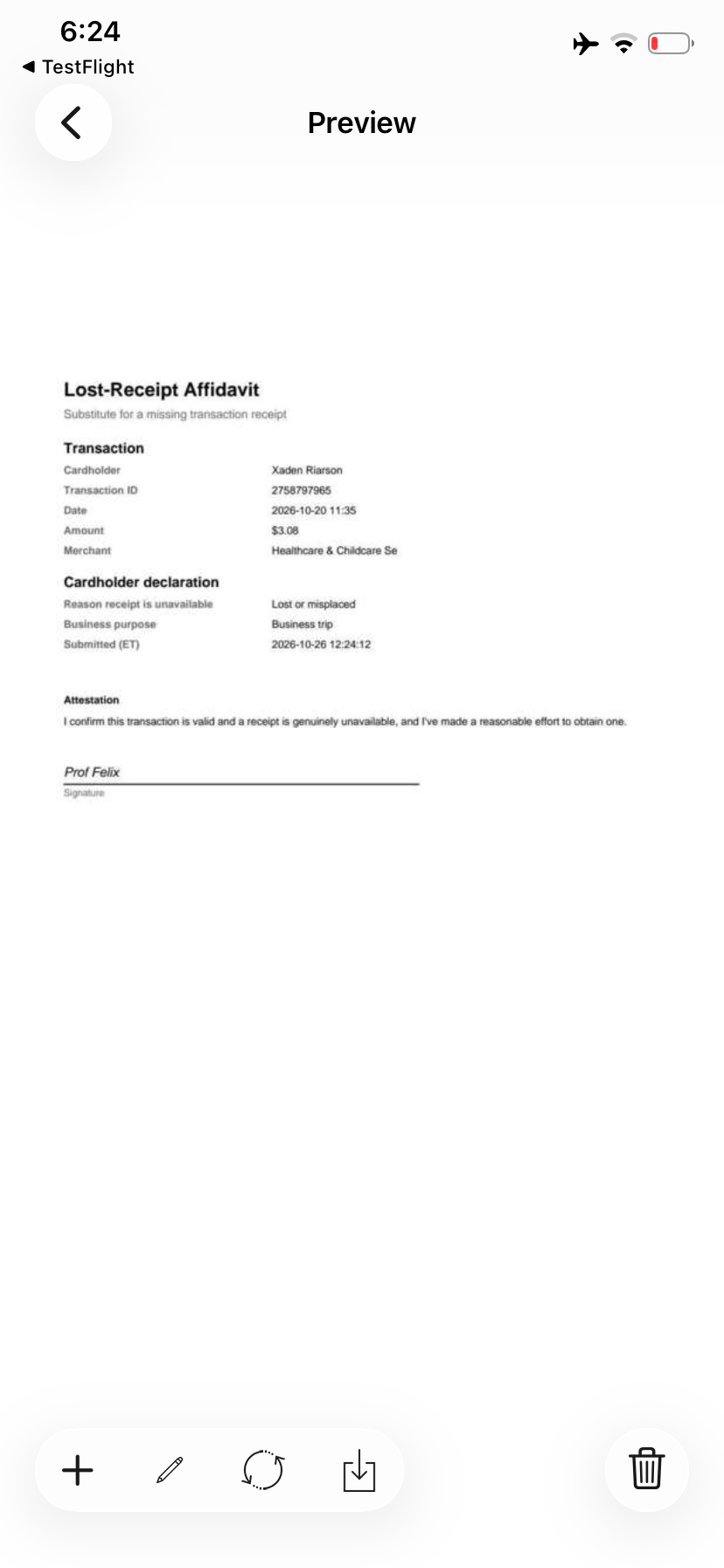
Submit an affidavit on the web
You can also submit an affidavit from the web dashboard. For details about enabling the feature or setting a maximum, see Lost-receipt affidavit settings.1
Go to Transactions and select the card purchase.
2
In Receipts, select I don’t have a receipt.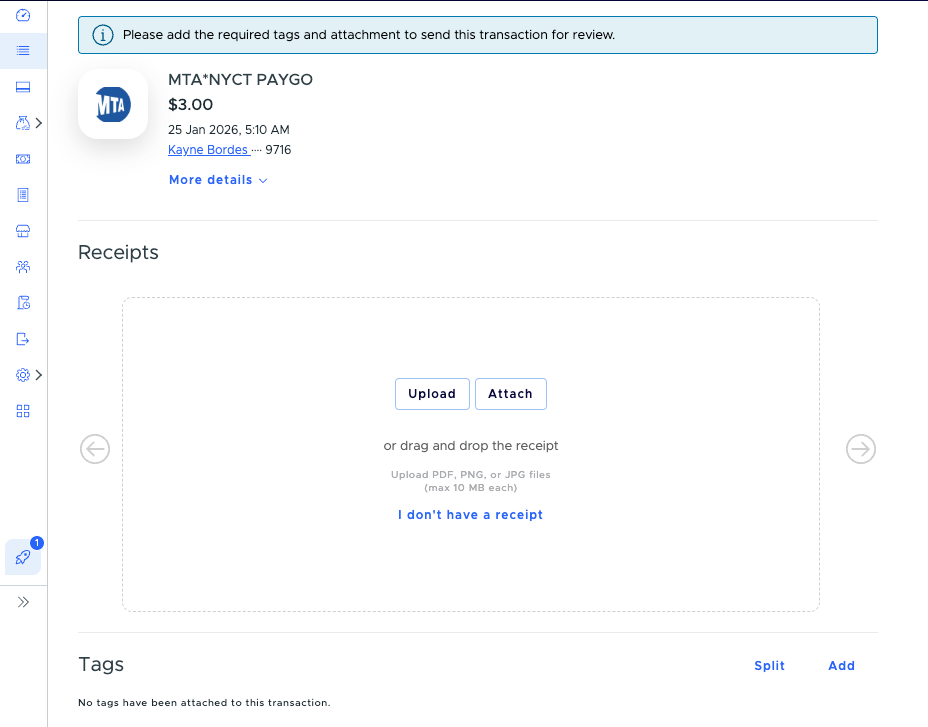
3
Choose a reason, enter the business purpose, confirm the statement and select Submit affidavit.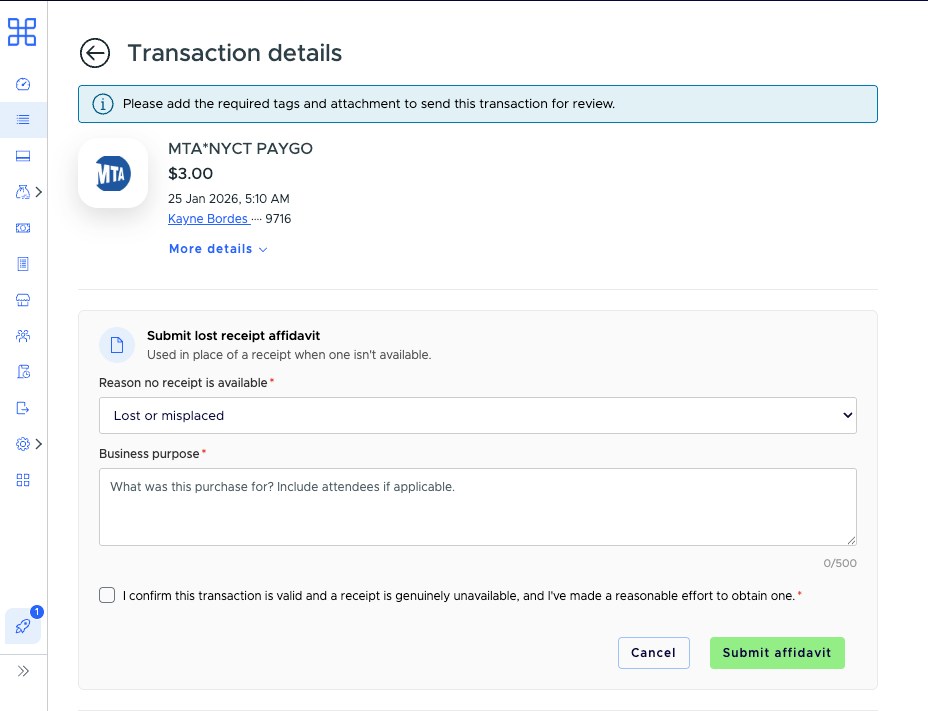
FAQ
Can I remove an affidavit after I submit it?
Can I remove an affidavit after I submit it?
Yes, until the transaction is approved. Open the affidavit and tap the trash icon. The I don’t have a receipt link appears again so you can submit a new affidavit or upload a receipt.