

Canceling a pending request
In the Dashboard site, click on “Funding Requests” on the left navigation menu.1
- Only Pending requests can be cancelled
- Tip: You can use Filters to narrow the list, such as Status = Pending
- Log in to dashboard.pexcard.com
- Click on “Funding Requests”Locate the Funding Request you wish to cancel and click on it.
2
In the Funding Request details window, click the “Cancel Request” button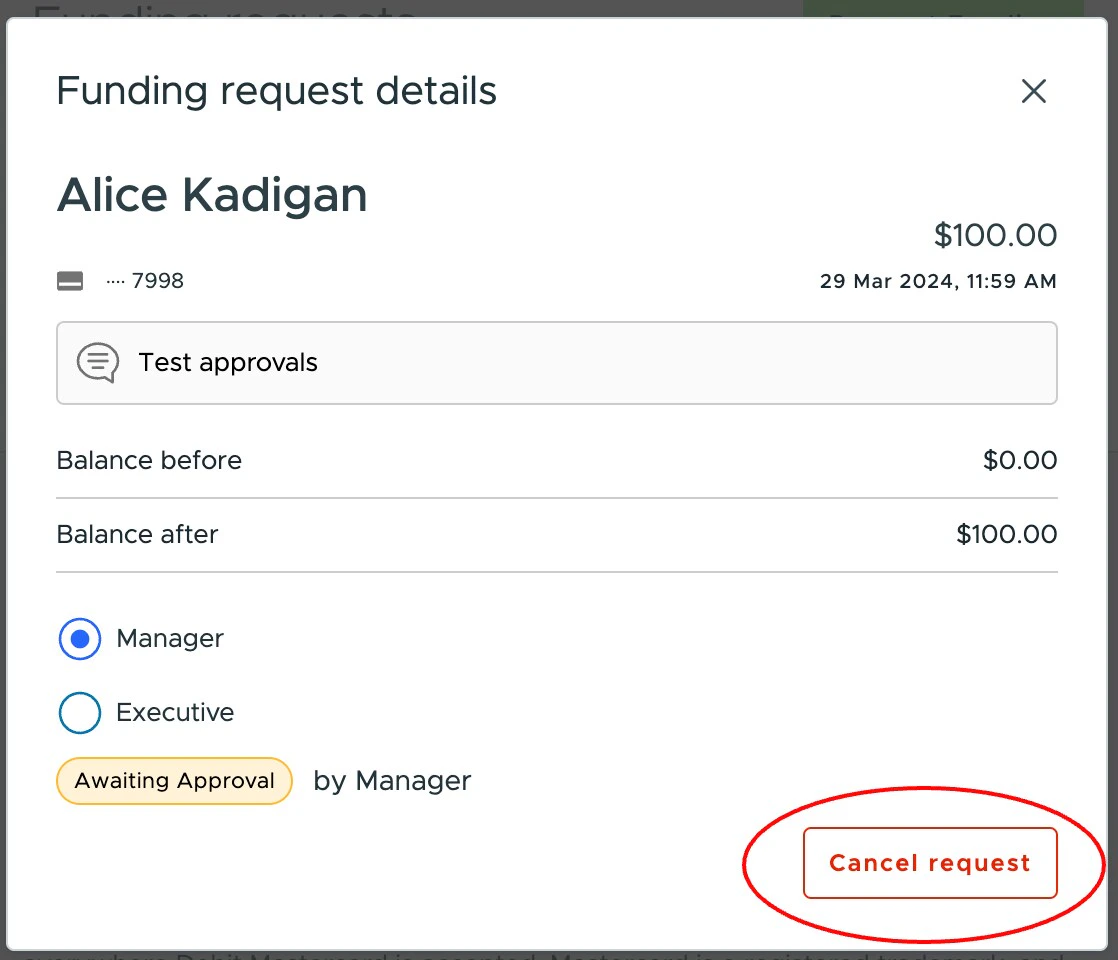
3
A confirmation window will open and ask you to click “Confirm”
Canceling a pending request via the mobile app
Click on a “Pending” request and click on “Cancel Request”.Note:the relevant administrators will receive a notification that the request has been canceled by the cardholder.