How to review approval workflow items as a Cardholder
How to view and act on pending approval items as a Cardholder approver in PEX
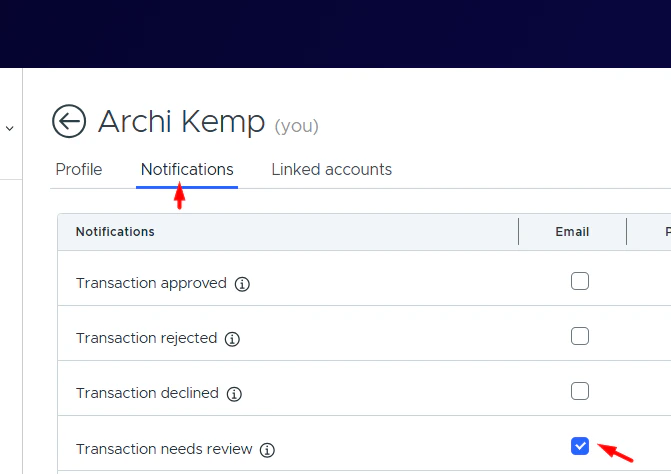
Once you are added to an approval group, you’ll start seeing workflow items that are pending your approval.We recommend navigating to Profile → Notifications and enabling notifications for pending approval items to ensure you don’t miss anything that requires your review.
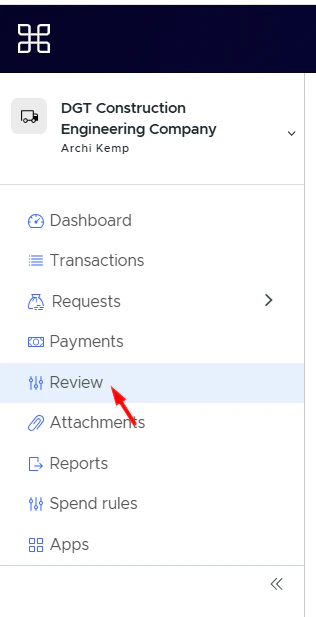
Navigate to the Review page from the sidebar menu.The Review tab is only visible to Cardholder users who have been added to an approval policy as approvers.
2
Click the tab you need in the top menu.
3
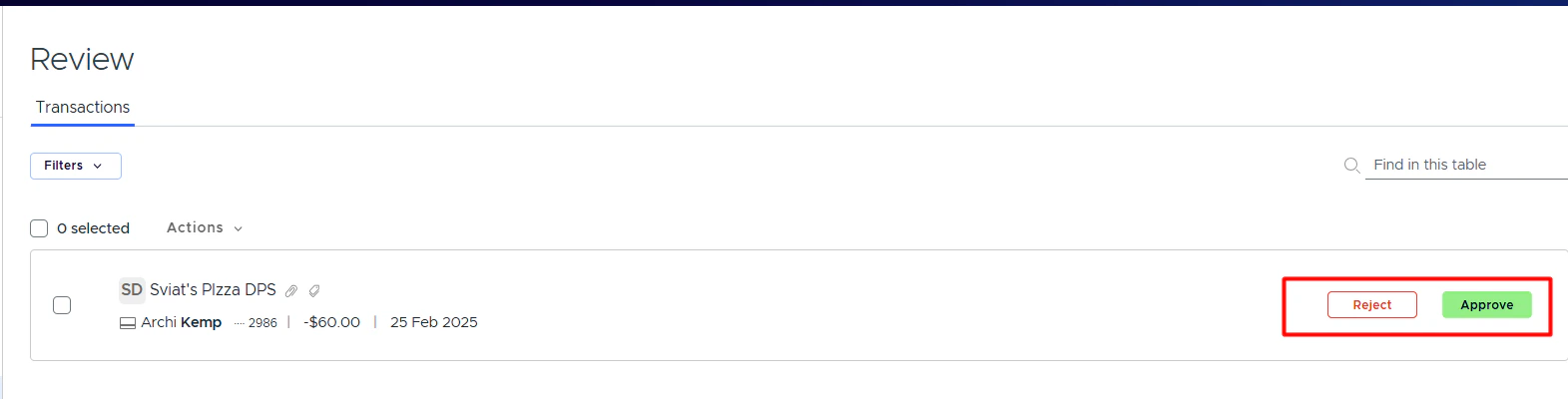
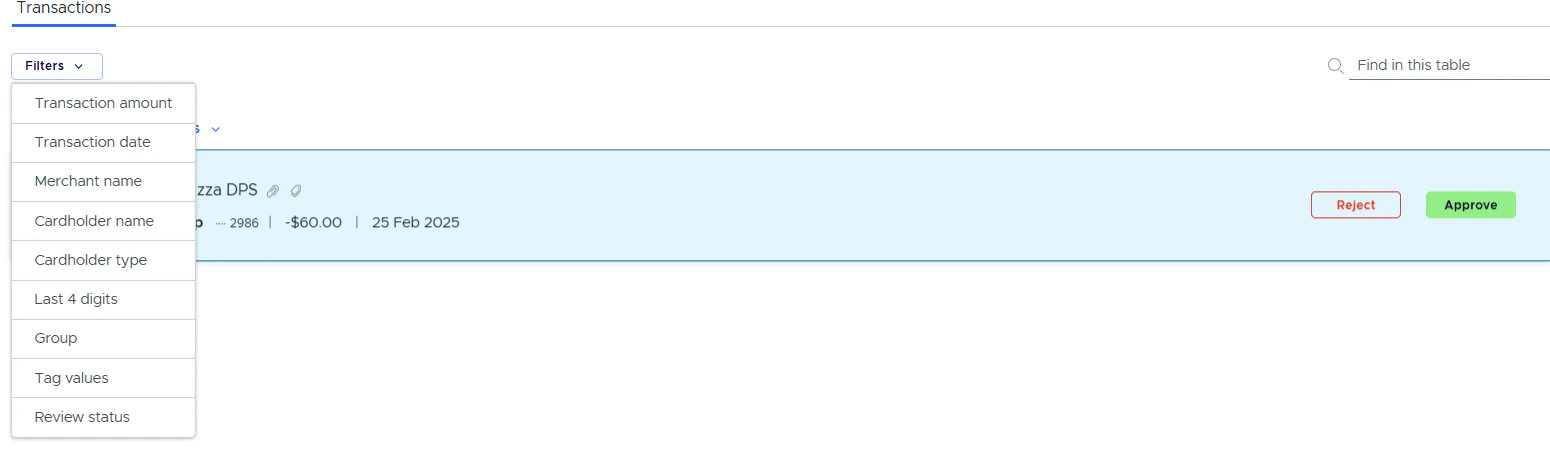
Click Approve or Reject next to the item.
4
To view full details, click on the item card in the list.
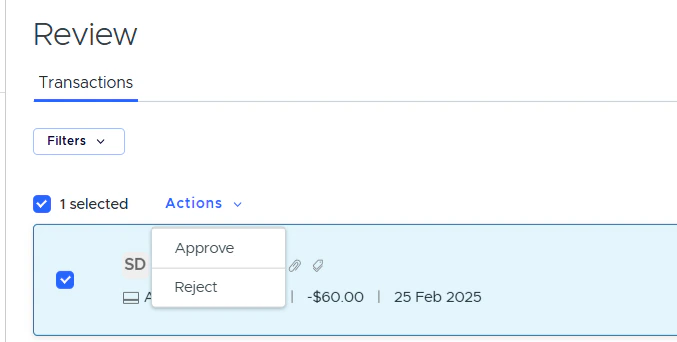
Note:You can approve all items at once by clicking the first checkbox to select all, then clicking Actions and choosing the desired action.Filtering and quick search are available for transactions and card requests.
Can I open the Review tab from the mobile app?Not yet — PEX is working on implementing that.What workflows are available now?Transaction, reimbursement and card request (card funding, spend rule and unblocking) workflows are currently available.Will I receive “pending my review” email notifications?Yes. To receive email notifications for items pending your review, enable the “Transaction needs review” or “Reimbursement needs review” notifications on the Profile → Notifications tab.Where can I see items that need to be reviewed?There is a Review tab in the left nav menu. Switch between tabs to review different workflow items.Can I edit tags, update receipts and manage notes?Yes. Once you become an approver, you can edit tags, attachments and add notes for pending approval items.Can I see items reviewed by me?Yes, there is a filter to review approved or rejected items.Can I mark approved or rejected transactions as not reviewed?Yes, there is a Mark as not reviewed button on the transaction details modal window.Why didn’t the item status change to approved after my approval?If there is a multiple-level approval set up in the approval policy, the item status won’t change until all groups approve it.