

How to Link Multiple Administrator or Cardholder Accounts
If you have credentials for more than one user account – either an additional cardholder account or an additional administrator account – you can now connect these accounts so that you can easily switch between them. This functionality allows you to access multiple accounts with a single username and password. Watch a step-by-step demonstration here!How to Link Multiple Admin or Cardholder Accounts
1
Select ‘Add another account’ in the Profile section at the top right of the dashboard.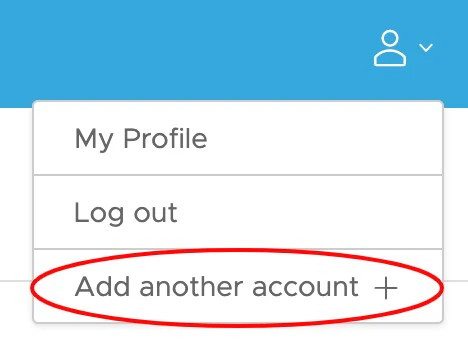
2
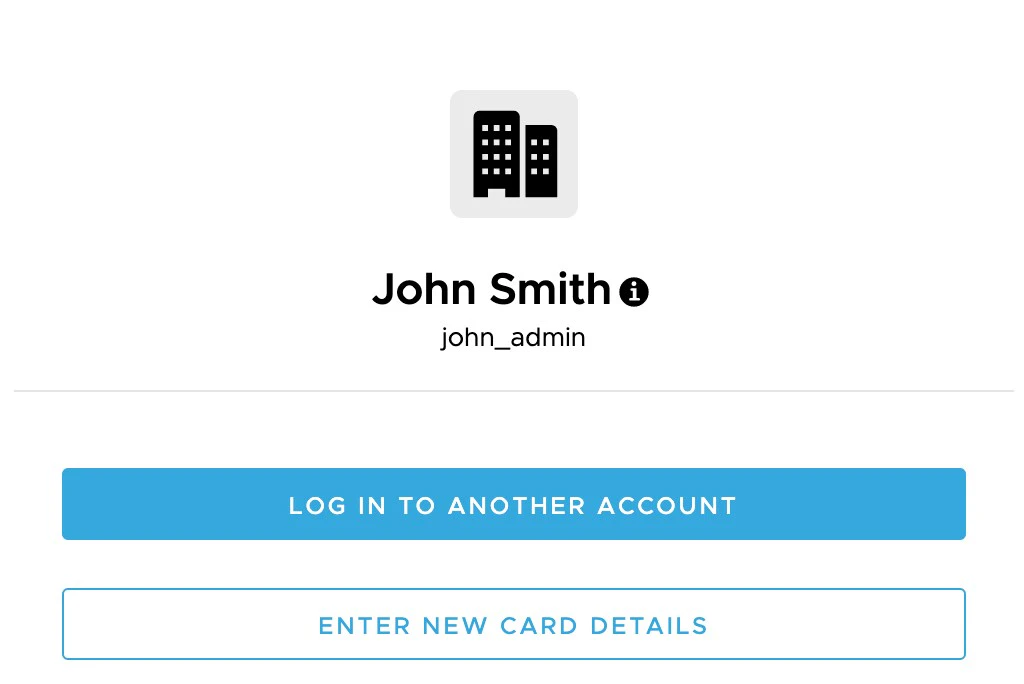
- To link an existing admin or cardholder account, select ‘Log In To Another Account.’ From there, you will be prompted to enter in your credentials.
- To link a new card account, select ‘Enter New Card Details.’ You will be prompted to enter in your card information and new login credentials to register your account.
3
Once you have successfully logged in to your other account, your new account will be accessible via dropdown on the top left section of the dashboard.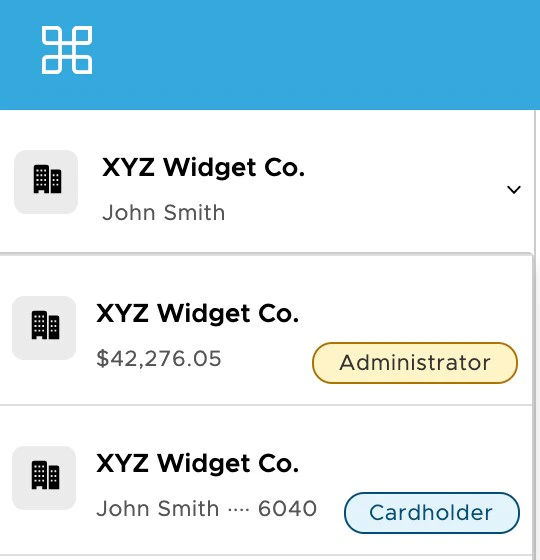
4
You can also access your linked accounts via the PEX mobile app.
- Log in to the app and click ‘Settings’.
- Your linked admin and cardholder accounts will appear at the top of the screen.
Frequently Asked Questions
Can I link accounts that are in different businesses or programs?
Can I link accounts that are in different businesses or programs?
A: Yes, as long as you have the appropriate credentials, you can link accounts across businesses.
I received an invite for a new administrator account. How do I add a new admin account to my linked accounts?
I received an invite for a new administrator account. How do I add a new admin account to my linked accounts?
A: At this time, you will need to complete registration and account set-up for your new account. Once you have a username and password set up, you can then follow the process for linking an existing account.
Once I've linked an account to my profile, will I be able to remove it?
Once I've linked an account to my profile, will I be able to remove it?
A: No, you will not be able to remove an account once you have added it. To remove an account from your linked accounts, contact customer service.
Can I link a closed account?
Can I link a closed account?
A: Yes, you can link a closed account.