

Required permissions:To access the Account history page, you need both the Add/edit/terminate administrator and Edit business settings & apps permissions. See Setting Administrator Permissions on All Programs for how to grant these.
View account history
1
Log in to the Dashboard
Sign in at https://dashboard.pexcard.com.
2
Open the Account security menu
Click the Account security icon (the shield) in the top-right corner of the page, then select Account history from the drop-down menu.
3
Review events
On the Account history page, you can review events such as:
- Approval policy updates
- User permission changes
- Card status changes
- New admin user created
4
Open an event for details
Click any event to see more details, then click GET AI analysis for a detailed AI-generated description of the event.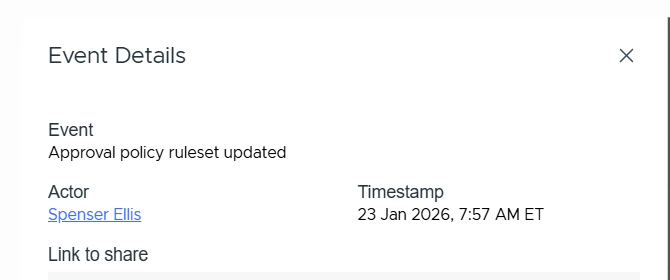
Tip:Use the Link to share field to copy a direct link to the event so you can share it with a colleague. Only users with the Add/edit/terminate administrator and Edit business settings & apps permissions can open the shared link or access the Account history page.