- Priority Delivery: Expected within 4-8 business days
- Expedited Delivery: Expected within 5 business days
- Rushed Delivery: Expected within 4 business days
How to Track a Card Order
- Log in to dashboard.pexcard.com
- Click the “Cards” tab in the left navigation
- Click the “Card orders” tab
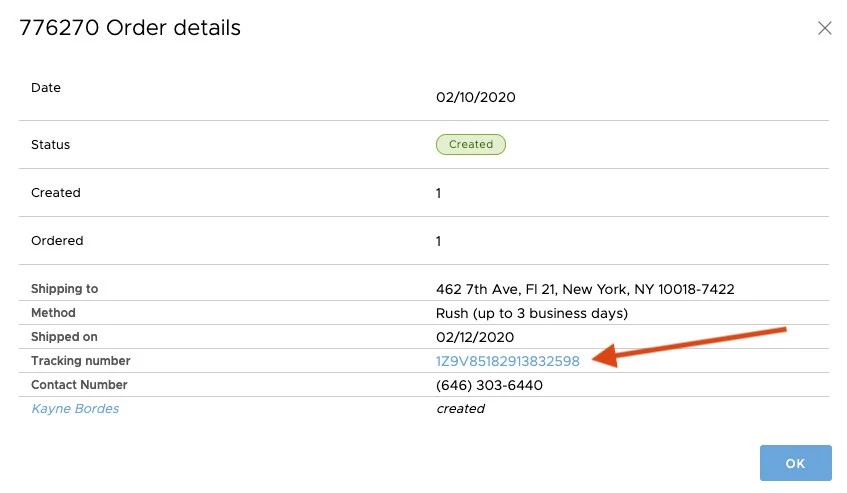
- Click on the card order from the list to see order details on the order date
- Review the tracking method and shipment date
- Click on the Tracking Number to check the status of a card order.
Note:This will open a page on a 3rd party shipping website for additional tracking and delivery information.
- PEX is unable to make changes or intercept deliveries. To schedule a redelivery, make address or receiver name changes, inquiries, etc, contact your local delivery service and provide your tracking number.