

How to See the MCCs (Merchant Category Codes) in a Merchant Category
1
Log into the Admin site
2
Click the “Business Settings” tab
3
Click “Merchant Categories” in the Business Settings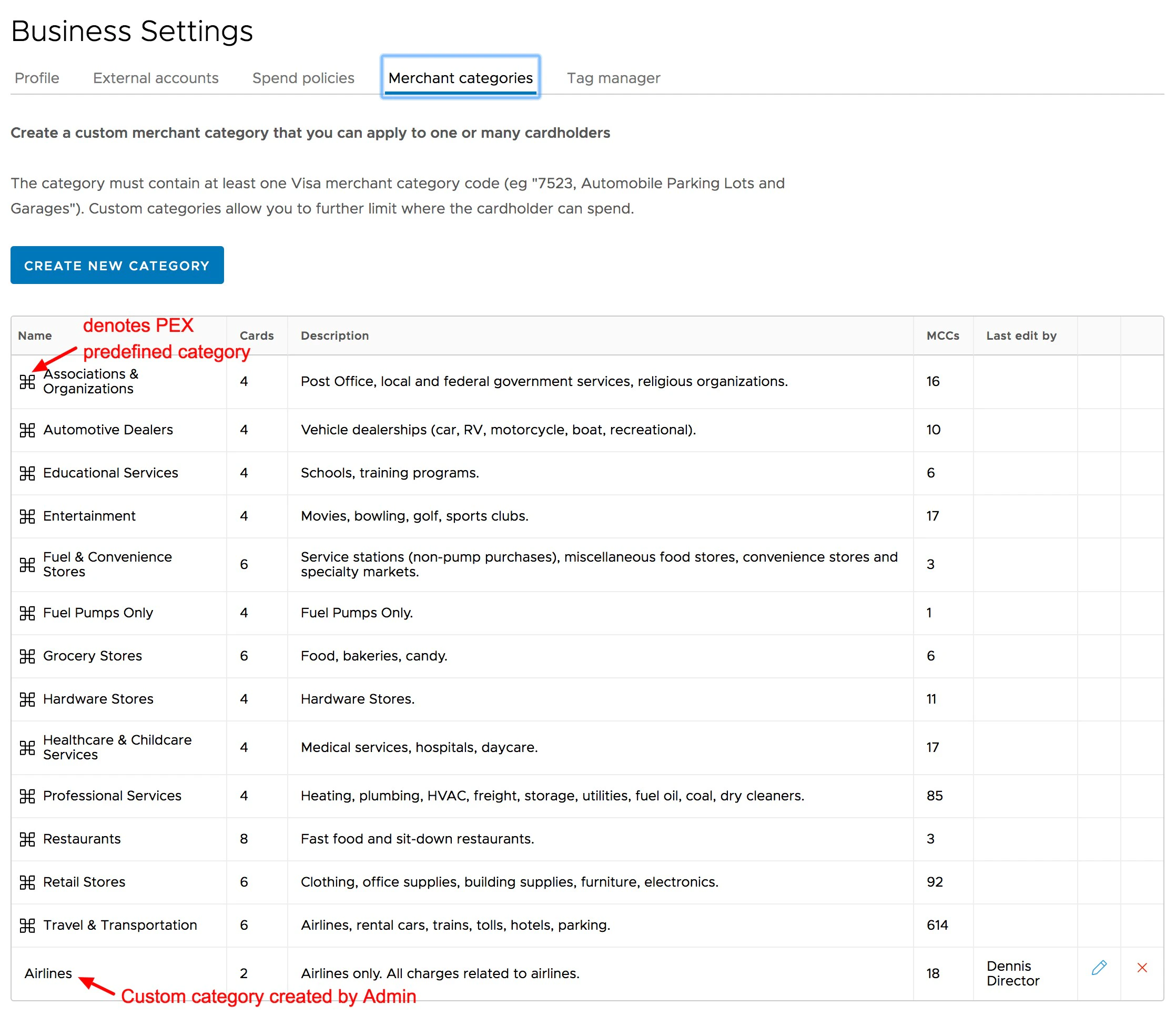
- The 13 original PEX Merchant Categories will be listed first
- Any Custom Categories will appear after the original PEX Merchant Categories
4
Click on the name of the original PEX Category to open the list of Visa MCCs in that Category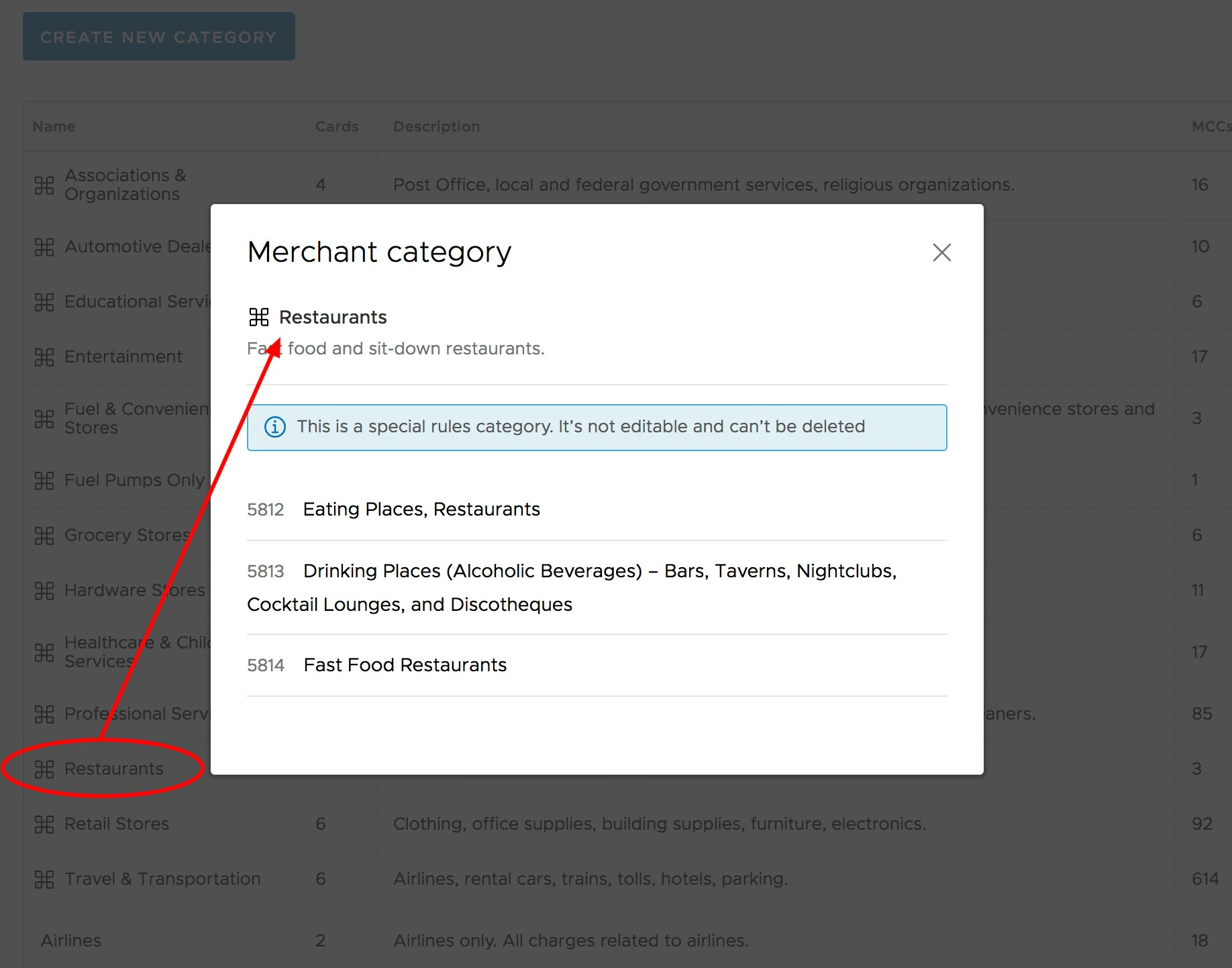
5
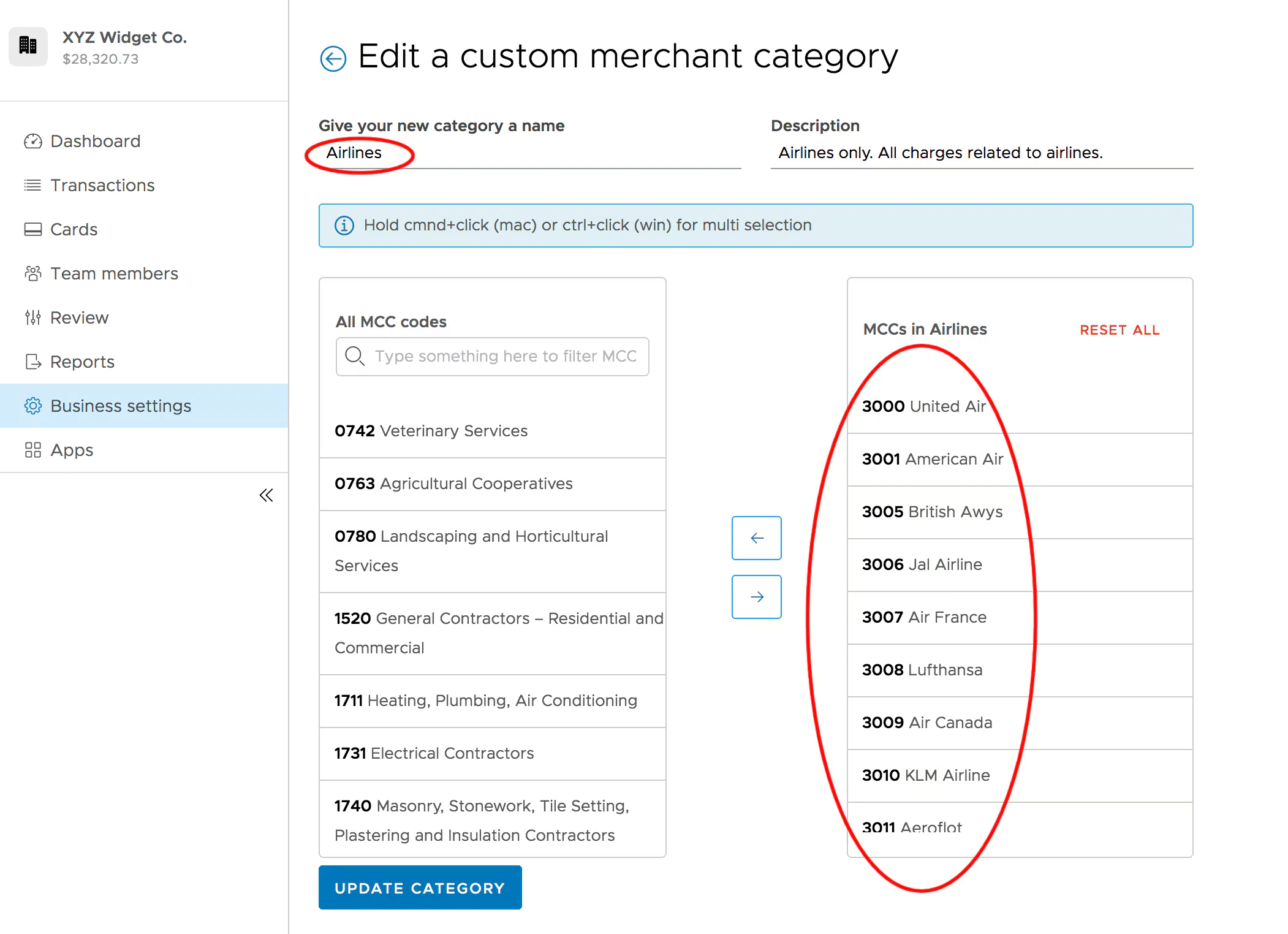
Click on the name of any Custom Category
- You can see the MCCs in the Custom Category in the next screen
- You can also edit the MCCs in the Custom Category in the next screen
- Click on the name of a Custom Category to see and edit the MCCs in the Custom Category