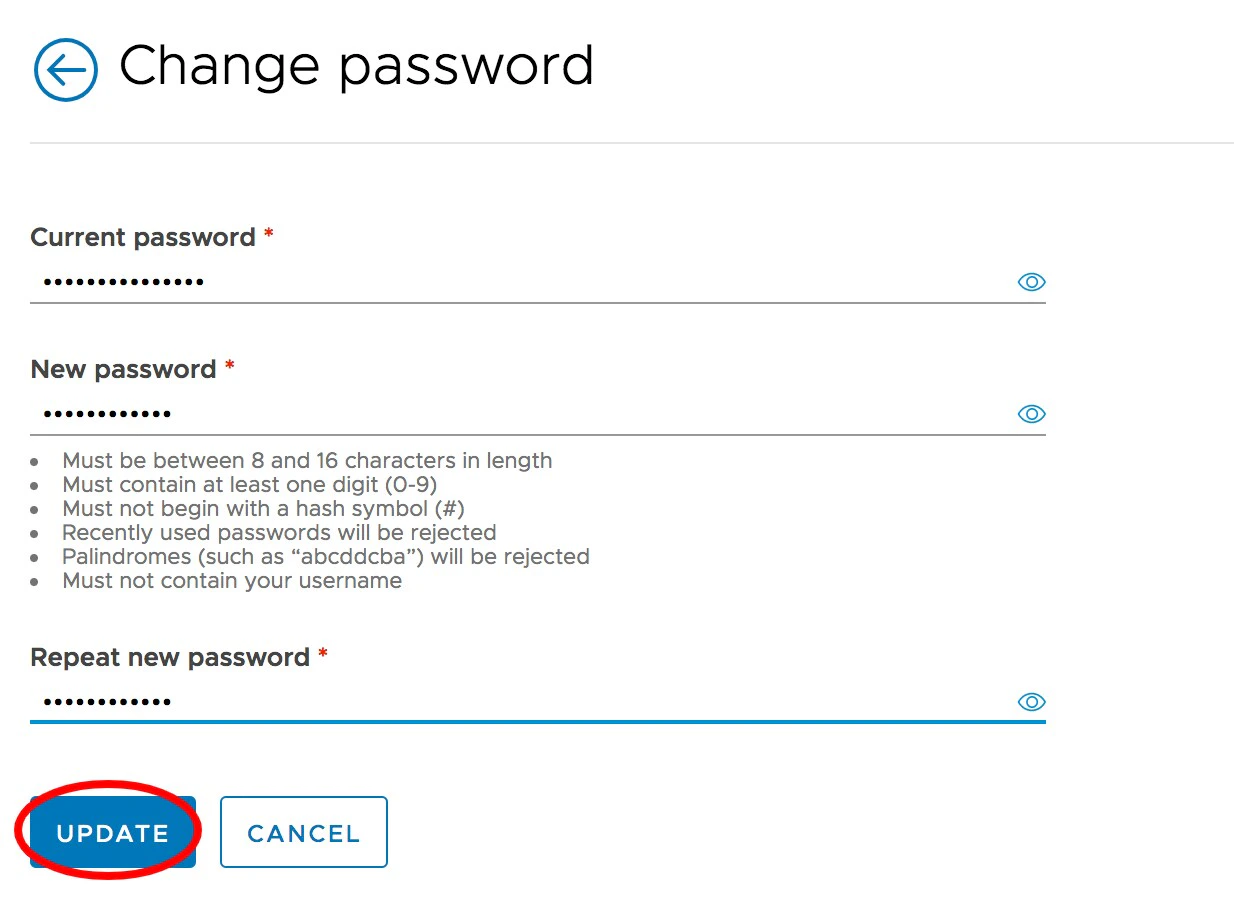
How to Change Your Username or Password
1
Log in to dashboard.pexcard.com
2
Click “My profile” in the upper right corner (the icon of a person)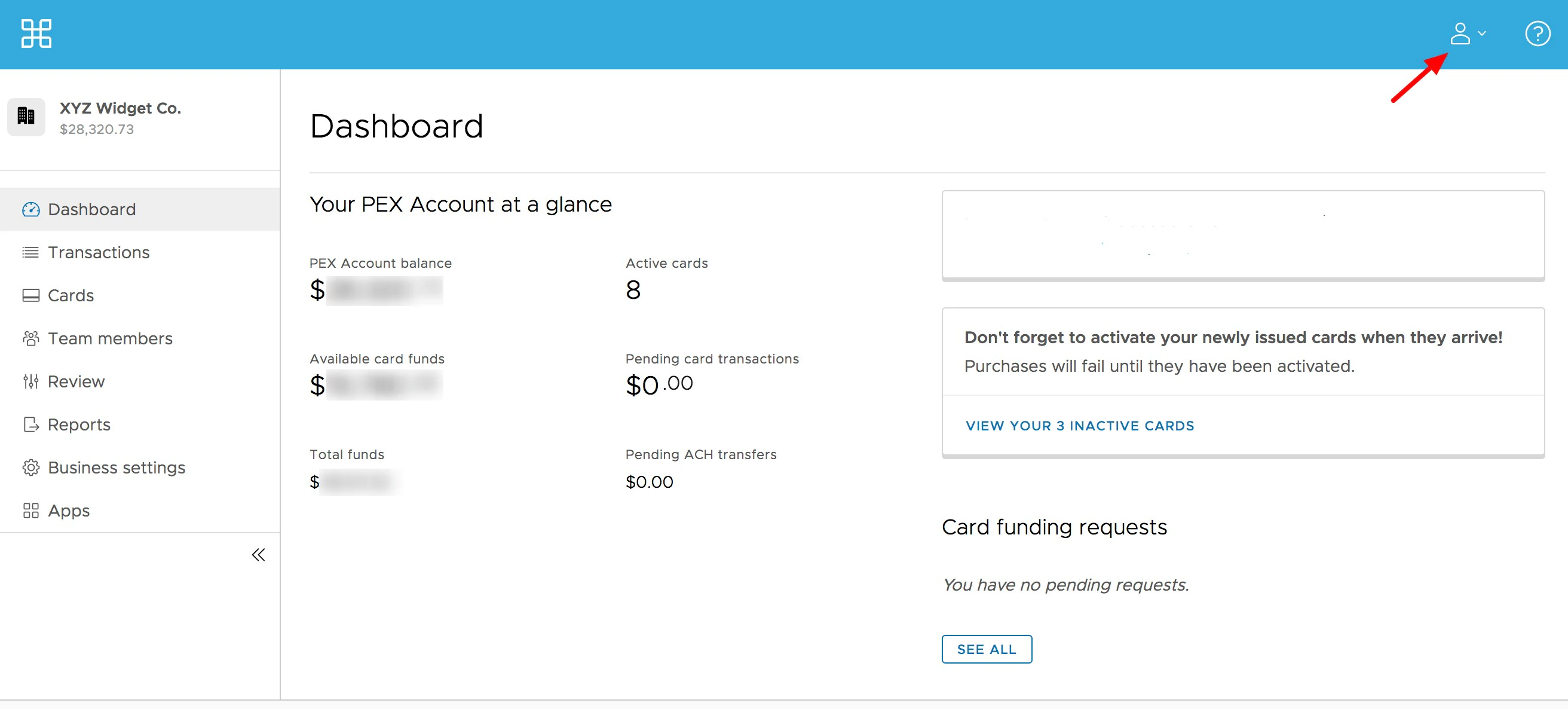
3
Scroll down to the Account Details section, and Click “Edit” next to Username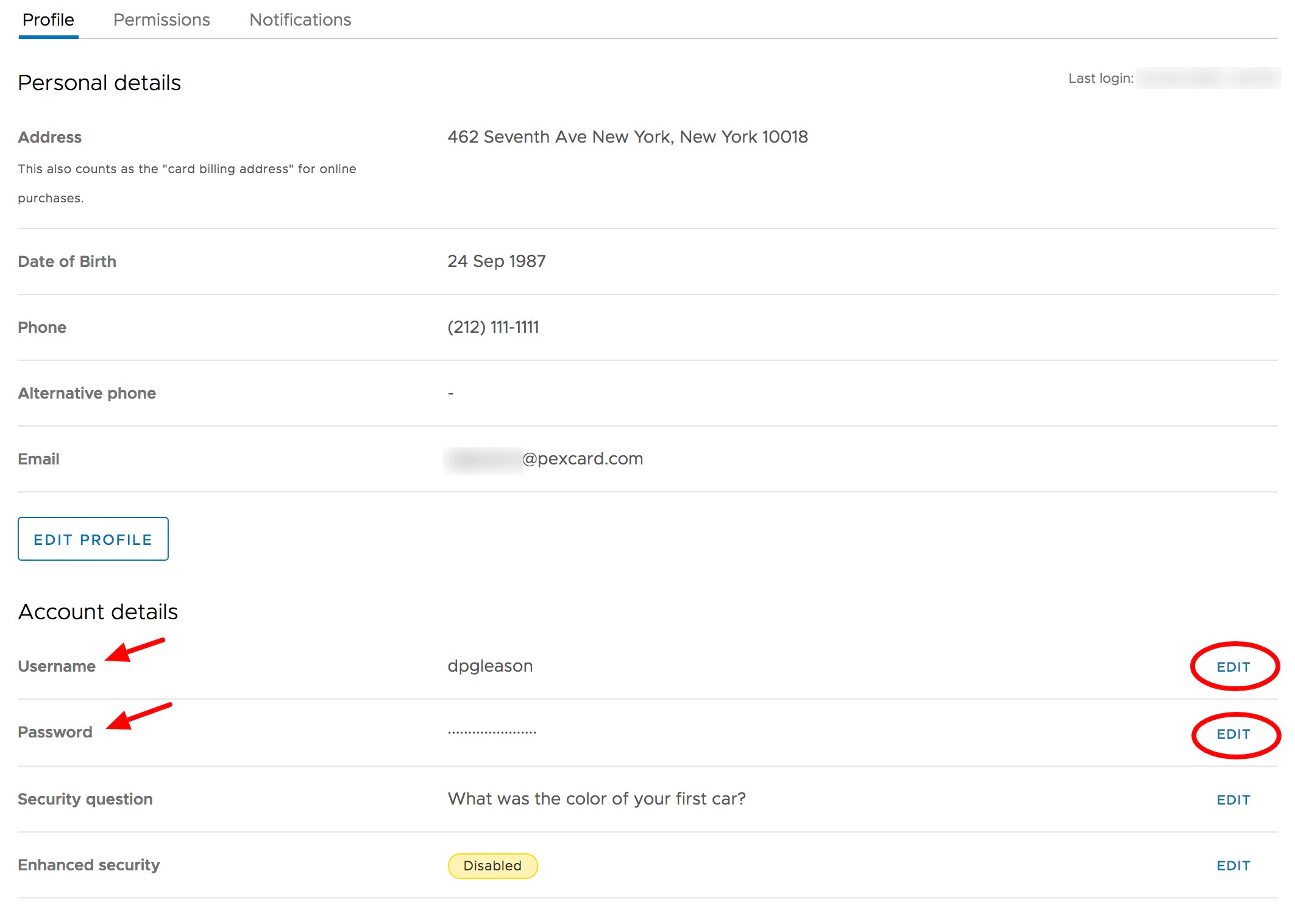
4
Enter your current password
5
Enter your new username or password
6
Re-enter to confirm new username or password
7
Click the “Update” button to save changes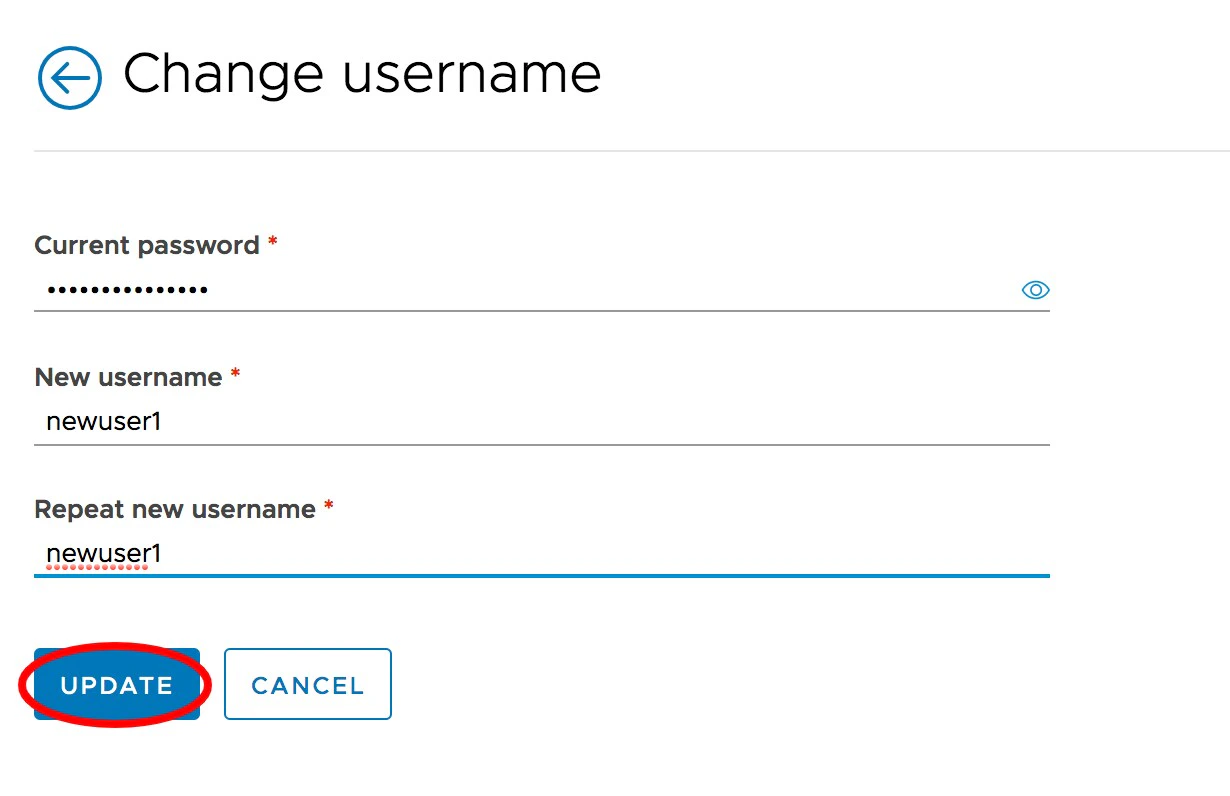
How to Change Your Password
1
Log in to dashboard.pexcard.com
2
Click “My profile” in the upper right corner (the icon of a person)
3
Scroll down to the Account Details section, and Click “Edit” next to Password
4
Enter your current password
5
Follow the new password requirements and create your new password. Passwords must meet the following requirements:
- Must be between 8 and 16 characters in length
- Must contain at least one digit (0-9)
- Must not begin with a hash symbol (#)
- Palindromes (such as “123aba321”) will be rejected
- Must not contain your username
6
Re-enter to confirm the new password
7
Click “Save new password” button below