

Note:Administrators may not edit or remove a cardholder’s note. Cardholders may edit or remove their own notes.
How to add transaction notes
1
Log in to dashboard.pexcard.com
2
Click the “Cards” tab
3
Locate the cardholder’s name (use find in this table or filters if needed)
4
Click on the cardholder’s name
5
Locate the cardholder transaction (review filters if needed) and click on the transaction
6
Click “Add” button beside Notes at the bottom right of the transaction window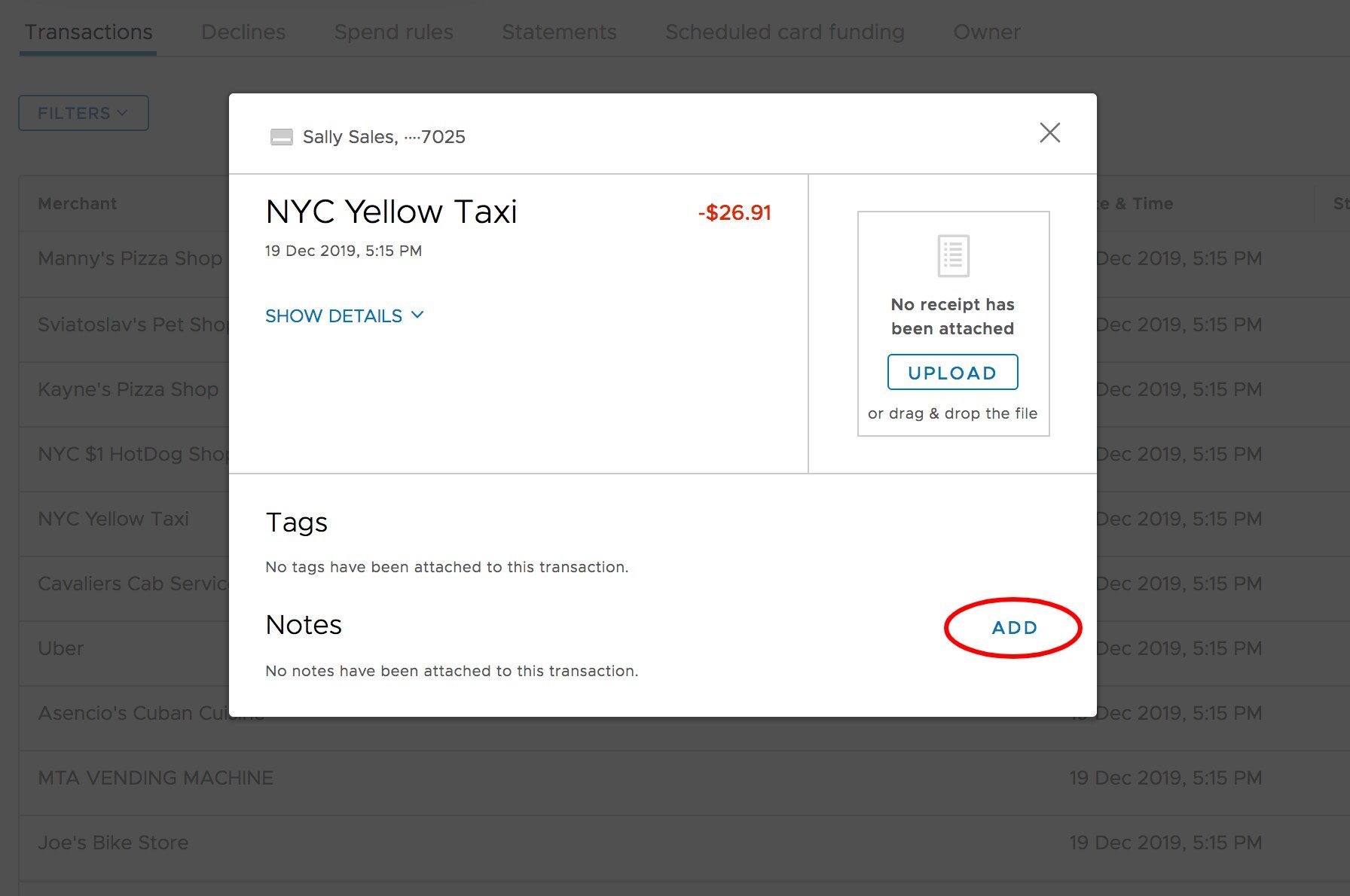
7
Type your comments in the Note field
8
Click “Save” button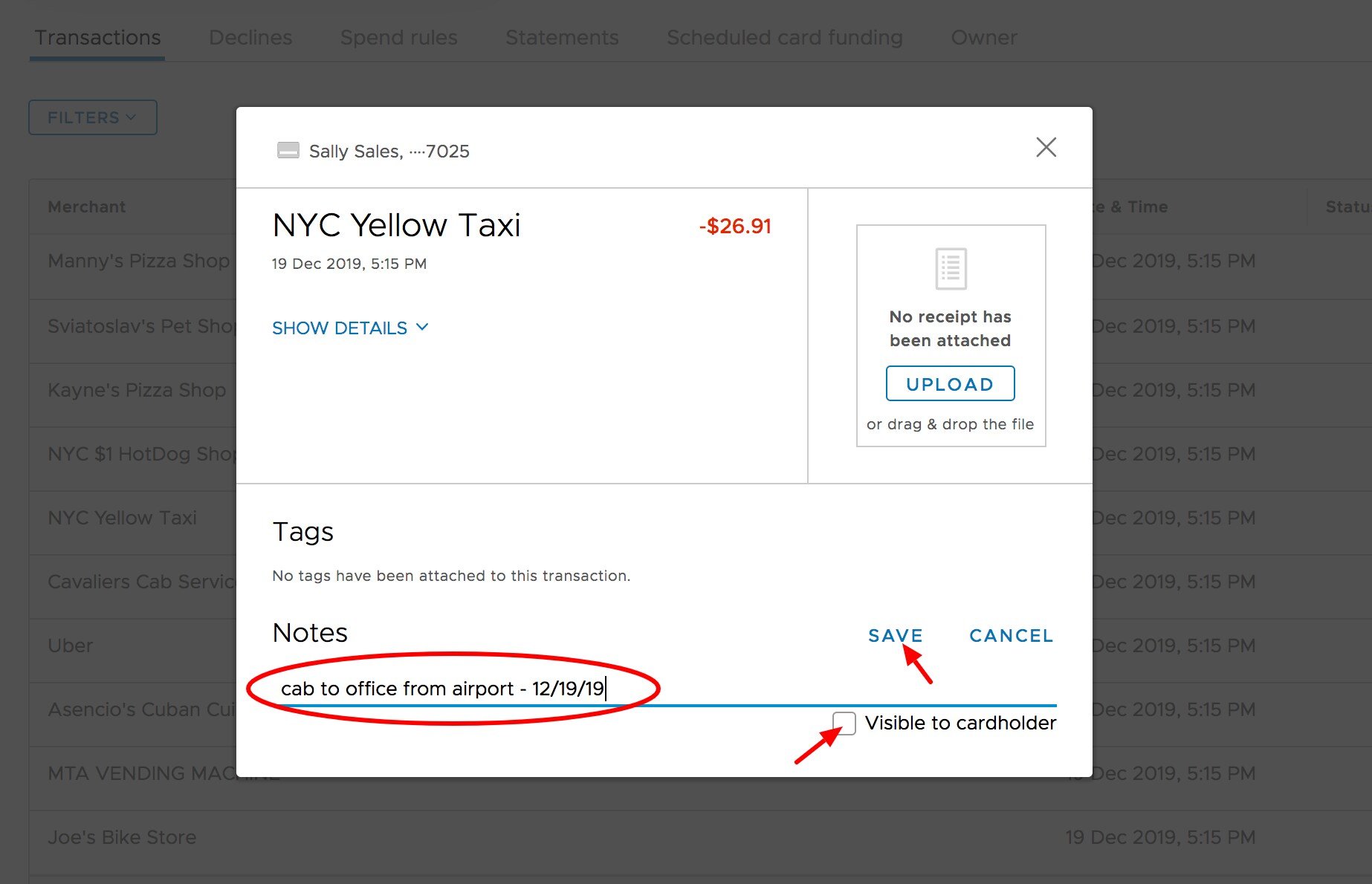
- Check the box to make the Note visible to the Cardholder